


Slack anonymous feedback: A complete guide for teams in 2026

Slack anonymous feedback is commonly used by HR teams to collect employee sentiment within communication channels. Many organisations use Slack with other text-based engagement tools to capture employee input.
When implementing anonymous feedback in Slack, it is crucial to prioritize privacy and security to protect employee identity and ensure secure feedback channels.
This guide explains how Slack anonymous feedback works through bots, apps, and internal workarounds. It outlines tested and reviewed workflows used by HR teams to enable anonymous feedback for staff.


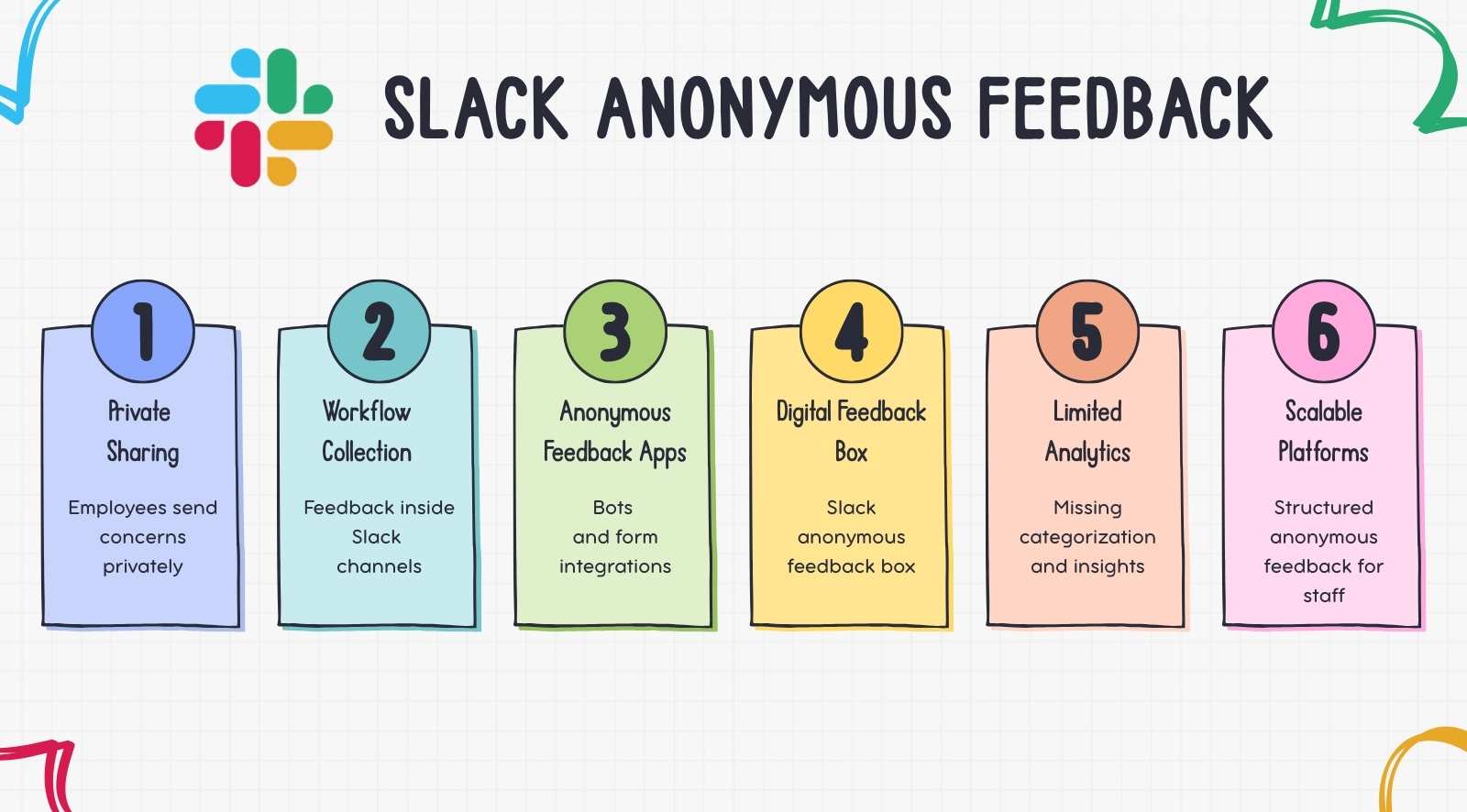
- Slack anonymous feedback lets employees share concerns privately through bots, forms, or integrations inside Slack.
- Teams use anonymous feedback apps and text-based engagement tools to collect employee input in daily workflows.
- Slack setups can function like a digital anonymous feedback box for quick anonymous feedback for staff.
- Most Slack bots relay messages but lack structured analytics, feedback categorization, and engagement tracking.
- Organizations often move to structured feedback platforms when Slack workflows become difficult to scale.
How does anonymous feedback work in Slack?
Slack anonymous feedback works through bots, integrations, or form workflows that relay employee messages to a channel without displaying the sender. These tools are added to the Slack workspace and require configuration by admins.
Bots that relay anonymous feedback
Slack bots let employees submit anonymous feedback using commands or private messages. The bot relays the message to a channel without revealing the sender.
HR teams review feedback in that channel while the bot acts as a lightweight anonymous feedback app, keeping the employee’s identity hidden.
Apps integrated with Slack for feedback collection
Organizations install an anonymous feedback app integrated with Slack, allowing employees to submit honest feedback through bots or forms.
These tools extend Slack’s messaging environment and collect feedback using familiar text-based engagement tools employees already use daily.
Form-based workarounds connected to Slack
External forms linked to Slack channels collect feedback and send submissions automatically to a review channel.
This setup works like a digital anonymous feedback box, helping teams gather anonymous feedback for staff while keeping workflows inside Slack.
Is Slack anonymous feedback truly anonymous?
Slack anonymous feedback is often only partially anonymous. Bots may hide the sender’s name, but workspace administrators can still access logs or metadata linked to submissions.
Because Slack is a communication platform, anonymity depends on the integration used.
Organizations needing stronger privacy usually adopt a dedicated anonymous feedback app designed for confidential reporting.
How do you set up anonymous feedback in Slack?

Setting up Slack anonymous feedback requires a bot, integration, or workflow since Slack has no built-in anonymous messaging. Organizations typically use apps or automations to collect anonymous feedback from employees.
Step 1: Install an anonymous feedback bot from the Slack Marketplace
Open the Slack App Directory and install an anonymous feedback app like CultureMonkey, Abot, or OpenSay to collect Slack anonymous feedback through bot commands or messages.
Admin approval and workspace permissions are usually required before activation.
Step 2: Configure a feedback channel for submissions
Create a channel such as #anonymous-feedback or #suggestion-box. Configure the bot so Slack anonymous feedback submissions automatically appear there, allowing HR teams to monitor employee concerns in one place.
Step 3: Enable anonymous message commands
Employees submit Slack anonymous feedback using bot commands like /anon or /abot. The bot relays the message to the configured channel while hiding the sender’s identity from colleagues and managers.
Employees interact with the bot through direct messages or shortcuts, acting as an anonymous relay between the employee and the feedback channel.
Step 4: Create a Slack workflow form for structured submissions
Use Slack Workflow Builder to create a form that sends responses to a channel or sheet. This method works like a digital anonymous feedback box for structured employee feedback.
Step 5: Set moderation and response rules
Define moderation guidelines for reviewing submissions. Many tools allow message filtering or approvals, helping teams maintain constructive anonymous feedback for staff while preventing misuse or inappropriate comments.
Step 6: Test the workflow with internal submissions
Test the workflow with a small group. Submit sample Slack anonymous feedback messages and confirm the anonymous feedback app posts correctly to the configured channel before organization-wide rollout.
Step 7: Communicate the feedback channel to employees
Once the setup is verified, share the process with employees. Provide instructions on how to send anonymous messages to the bot and where responses will appear.
Clear instructions improve adoption and help teams consistently collect anonymous feedback from employees through Slack-based communication workflows.
Which Slack bots enable anonymous employee feedback?
Organizations use Slack bots to enable Slack anonymous feedback directly inside the workspace. These bots act as lightweight anonymous feedback apps, allowing employees to submit private feedback while HR reviews responses in Slack channels.
- Abot: Abot enables Slack anonymous feedback, polls, and anonymous replies in channels. It includes moderation controls and supports suggestion workflows, functioning as a lightweight anonymous feedback app inside Slack.
Source: Abot Slack marketplace listing - OpenSay Anonymous Messaging Bot: OpenSay allows employees to post and reply anonymously in Slack channels. Organizations use it to collect anonymous feedback for staff, run Q&A sessions, and manage moderated suggestion discussions.
Source: OpenSay Slack app listing - Anonymous Bot: Anonymous Bot lets employees send messages without revealing identity. It supports anonymous channel conversations and moderation tools, helping teams manage Slack anonymous feedback safely within the workspace.
Source: Anonymous Bot Slack app listing - Honestbot: Honestbot enables employees to submit anonymous messages that appear in Slack channels for HR or leadership review. It helps organizations surface workplace concerns through simple Slack anonymous feedback workflows.
Source: Honestbot Slack app listing - Polly Suggestion Box: Polly supports anonymous polls and suggestion workflows. Teams use it as a digital anonymous feedback box to collect quick feedback while managers review aggregated responses inside Slack.
Source: Polly Suggestion Box Slack app listing - Micro-Feedback Bot: Micro-Feedback Bot collects quick responses in Slack conversations using short messages or emoji reactions, supporting continuous feedback through text-based engagement tools used daily by employees.
Source: Micro-Feedback Bot Slack app listing
Slack bots collect Slack anonymous feedback using familiar text-based engagement tools in daily workflows. However, most focus on message relay rather than structured surveys or analytics needed for larger feedback programs.
What are the limitations of Slack-based anonymous feedback?

Slack anonymous feedback allows employees to raise concerns quickly inside communication channels. It creates a space for sharing issues, frustrations, or suggestions without revealing identity, helping improve team communication.
However, Slack was built for collaboration rather than structured employee listening. As organizations grow, limitations appear in analytics, anonymity safeguards, feedback organization, and reporting workflows.
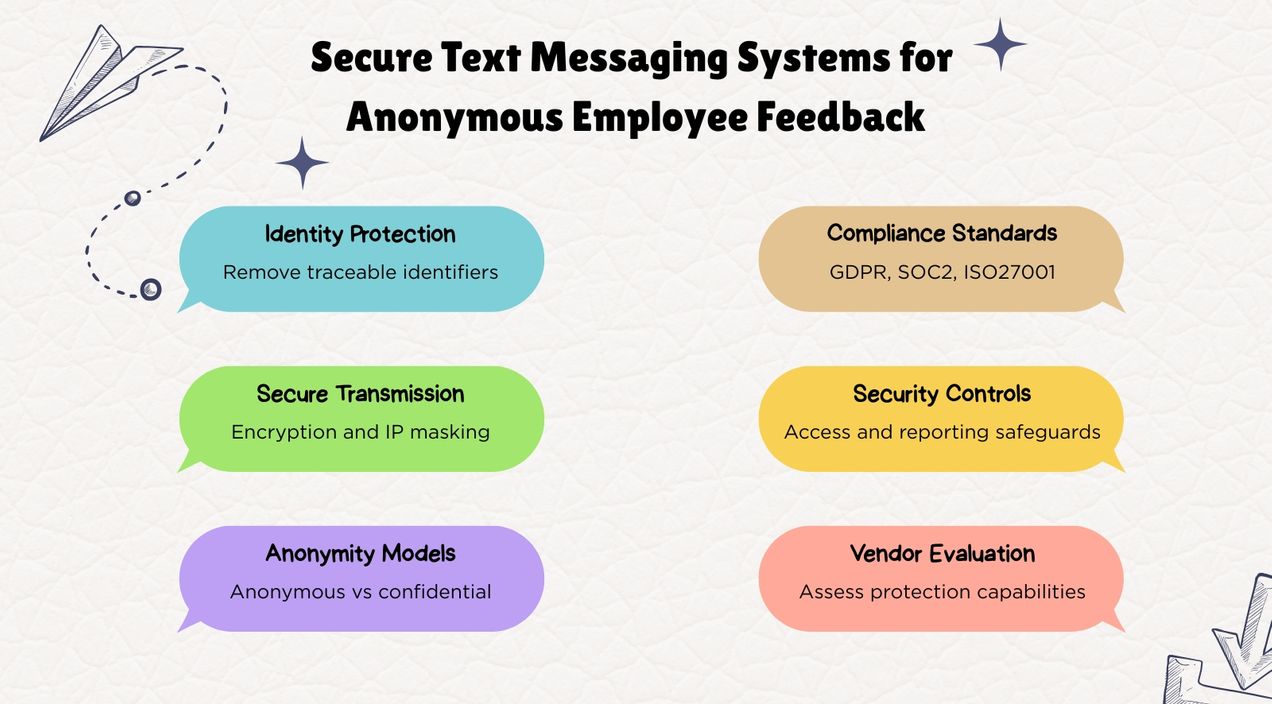
To maintain strong privacy, tools must block user tracking and protect identities. Many organizations eventually adopt a dedicated anonymous feedback app or structured anonymous feedback box system for scalable feedback programs.
Limited analytics and trend tracking
- Slack bots typically post anonymous messages in channels without structured reporting.
- HR teams cannot track engagement trends or recurring feedback themes easily.
- No dashboards exist to analyze anonymous feedback for staff across departments.
- Leadership often relies on manual review instead of data-driven insights. Structured feedback tools can provide better insights through analytics and trend tracking, especially when they include well-designed employee survey questions that reveal deeper sentiment.
Weak anonymity safeguards
- Most Slack bots hide the sender name but may still store metadata or activity logs.
- Workspace administrators can sometimes access technical identifiers linked to messages.
- Some tools, like Geekbot and OpenSay, ensure technical anonymity by stripping metadata, IP addresses, and timestamps from feedback submissions.
- User privacy and security are critical when choosing anonymous feedback tools—look for solutions that secure feedback channels and protect sensitive information.
- Employees may question whether Slack anonymous feedback is truly confidential.
- Sensitive concerns may remain unreported due to perceived traceability, which limits opportunities to share constructive negative feedback that could drive improvement.
No structured feedback-to-action workflows
- Anonymous messages appear as conversations rather than formal feedback records.
- Slack does not provide built-in case management or issue tracking.
- HR teams must manually document and follow up on employee concerns.
- Feedback may surface problems without clear accountability for resolution.
- Acknowledge anonymous feedback and act on it to encourage trust, participation, and continued employee input.
Difficult scaling across larger organizations
- Slack channels become cluttered when many employees submit feedback, and positive signals like employee shout-outs that reinforce culture can easily get lost.
- Messages are difficult to categorize by department, role, or location.
- Enterprise organizations struggle to monitor feedback patterns across teams.
- Important signals can get lost within high volumes of communication.
Lack of engagement program capabilities
- Slack bots function mainly as message relays rather than full feedback systems with robust mechanisms and processes.
- They do not support structured surveys or engagement measurement programs.
- Organizations cannot benchmark engagement trends over time.
- HR teams often require additional tools to run broader employee listening initiatives.
When does Slack work for anonymous feedback?
Slack anonymous feedback works well for collecting quick employee input within daily communication channels. Bots or integrations allow teams to gather anonymous feedback for staff without introducing a new system.
However, Slack becomes less effective when organizations require structured feedback programs. HR teams often need analytics, trend tracking, and dashboards that most bots cannot provide.
Anonymity and follow-up workflows can also be limited. Administrators may access message metadata, and Slack channels rarely support structured action tracking or reporting across teams.
What is the difference between a Slack channel, anonymous feedback box, and dedicated platform?

Organizations collect feedback in different ways, including Slack channels, an anonymous feedback box, or a dedicated anonymous feedback app. Each approach differs in anonymity, structure, analytics, and how effectively teams manage employee feedback.
These platforms typically provide a range of paid plans and subscription options, including trial periods and money-back guarantees, to accommodate different organizational needs.
How can organizations transition from Slack feedback to a structured feedback program?

Transitioning from Slack anonymous feedback to a structured program means moving from informal messages to systems that capture, organize, and analyze employee sentiment across teams.
1. Define the goals of your feedback program
- Identify whether the focus is engagement measurement, workplace culture, or operational improvement, and how you’ll support it with creative employee engagement activities across remote, hybrid, and onsite teams.
- Clarify what type of anonymous feedback for staff needs to be collected regularly.
- Align feedback goals with HR, leadership, and organizational decision-making needs.
2. Evaluate limitations of Slack-based feedback
- Review how Slack anonymous feedback is currently collected through bots or channels.
- Identify gaps such as missing analytics, lack of trend tracking, or unclear follow-up processes.
- Determine whether Slack workflows can support organization-wide feedback programs.
3. Introduce a structured anonymous feedback platform
- Implement an anonymous employee feedback platform designed to organize and analyze employee input.
- These platforms allow organizations to collect anonymous feedback from employees through structured surveys and feedback forms, including targeted manager feedback survey questions that assess leadership effectiveness.
- HR teams can analyze engagement patterns and recurring workplace concerns.
4. Standardize feedback collection methods
- Replace scattered Slack messages with structured surveys or feedback forms.
- Establish regular feedback cycles such as monthly pulse surveys or quarterly engagement reviews, potentially incorporating fun employee engagement questions to keep participation high.
- Ensure all teams use the same process for submitting and reviewing feedback.
(Source: Deloitte)
5. Build feedback review and response workflows
- Assign HR or leadership teams responsible for reviewing submissions.
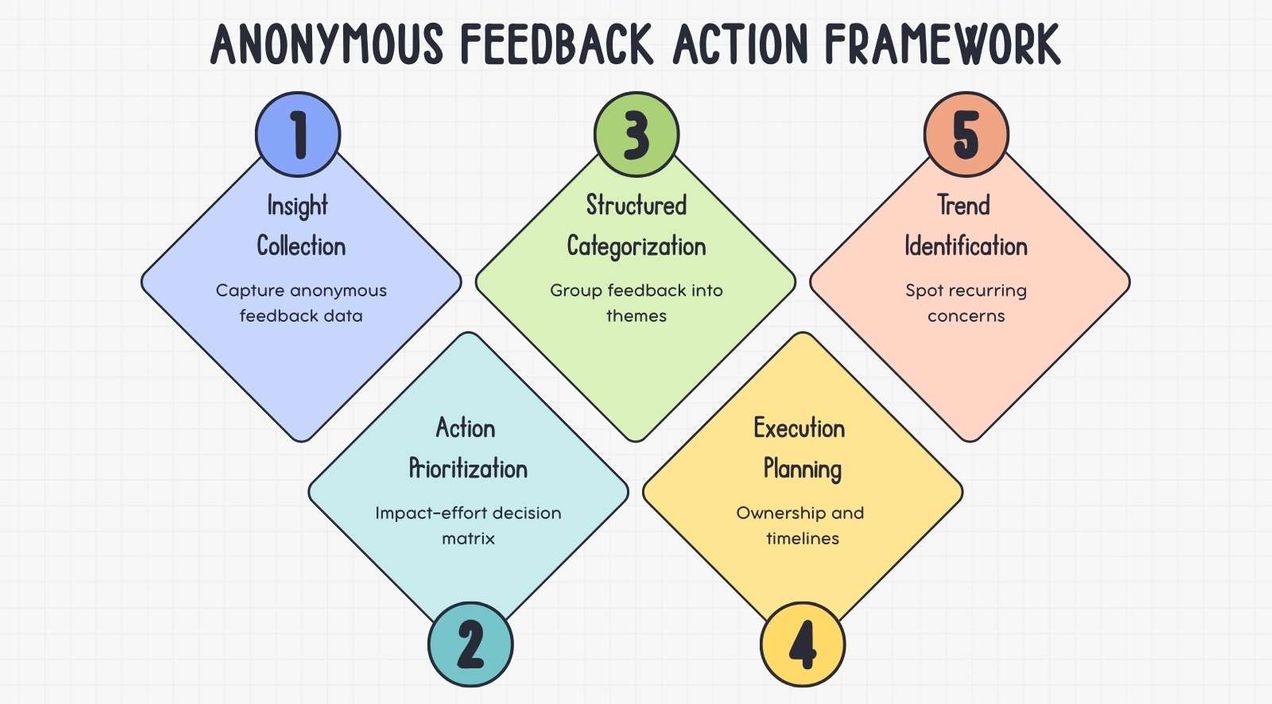
- Categorize feedback by topic, department, or urgency level.
- Create internal processes to track actions taken after employee feedback is submitted.
6. Communicate the new feedback process to employees
- Explain how employees can submit feedback through the new system.
- Emphasize anonymity protections and how leadership reviews concerns.
- Encourage employees to continue sharing ideas and issues through structured channels.
7. Maintain Slack as a feedback entry point
- Integrate the new system with Slack so employees can still collect anonymous feedback from employees through familiar tools.
- Many organizations use anonymous employee surveys with Slack integration so employees submit feedback directly from Slack while data is stored in a dedicated platform. Many tools make it possible for employees to submit feedback without leaving Slack, which maintains convenience and encourages higher participation.
Moving to a structured program helps organizations transform informal Slack conversations into measurable insights that support workforce decisions and continuous employee listening.
How can you integrate a feedback platform with Slack for the best of both worlds?

Integrating a feedback platform with Slack allows organizations to retain the convenience of Slack anonymous feedback while gaining structured analytics and stronger anonymity safeguards. Employees submit feedback inside Slack, while the platform securely stores responses and protects identity.
Connecting Slack with CultureMonkey enables organizations to retain Slack anonymous feedback workflows while adding structured analytics, stronger anonymity safeguards, and a centralized system for managing employee feedback.
The integration connects Slack with an anonymous feedback app through Slack apps or APIs. Employees submit responses through bot prompts, survey links, or workflow shortcuts. CultureMonkey organizes feedback, categorizes themes, and provides analytics dashboards for HR teams.
This approach combines familiar text-based engagement tools with enterprise listening capabilities. Employees continue using Slack to share feedback while CultureMonkey manages analytics, reporting, and action tracking, helping organizations scale anonymous feedback for staff across teams.
Conclusion
Slack anonymous feedback helps organizations create simple channels for employees to share concerns, ideas, and workplace issues without fear of identification. Bots and integrations make it easy to collect feedback inside daily communication tools, encouraging more employees to participate and speak openly.
However, as organizations grow, Slack workflows often lack analytics, structured listening programs, and strong anonymity safeguards needed for scalable feedback systems.
CultureMonkey strengthens Slack anonymous feedback by combining Slack integrations with survey analytics, anonymity controls, and actionable dashboards that help HR teams collect, analyze, and act on employee feedback.
Book a demo with CultureMonkey.
FAQs
1. Can you send anonymous feedback through Slack?
Yes. Anonymous feedback in Slack is usually enabled through bots, apps, or workflow forms that relay messages to specific channels without displaying the sender’s name. These tools help teams build psychological safety by letting employees share concerns or suggestions privately while HR or managers review the messages and ensure issues are ironed out.
2. What is the best Slack bot for anonymous employee feedback?
Popular Slack bots used for anonymous employee feedback include Abot, OpenSay, Anonymous Bot, Honestbot, and Polly suggestion box. These tools allow employees to submit messages privately and even vote on suggestions in specific channels, helping leadership review feedback transparently. Each bot offers a different example of how Slack can collect workplace feedback.
3. Is anonymous feedback in Slack truly anonymous?
Slack anonymous feedback is often partially anonymous rather than fully identity-protected. Bots can hide the sender’s name in a message, but workspace administrators may still access technical logs or metadata depending on configuration. For instance, strings such as message identifiers or workspace logs may still exist, even if the visible answer appears anonymous.
4. What are the limitations of using Slack for anonymous feedback?
Slack conversations can make feedback management stuck in message threads rather than structured insights. While teams may collect performance reviews or informal performance reviews through Slack bots, the platform often lacks analytics dashboards, categorization tools, and long-term tracking needed to ensure feedback receives feedback responses in a truly transparent system.
5. Can a dedicated employee feedback tool integrate with Slack?
Yes. Many employee feedback platforms integrate with Slack through apps or APIs. Employees can submit feedback directly from Slack messages while the external platform stores responses, analyzes trends, and manages workflows. This approach ensures feedback is required or strings of messages are structured, issues can be tracked, and insights are clearly mentioned in reports.