

Compare a leadership report with an earlier survey
How to compare a leadership report with an earlier survey, and how to read the movement figures: which changes are meaningful, which are too small or normal variation, the margin of error and unmatched questions.
On this page
Every change in a leadership report is tested before it is shown as a change. Compare a report with an earlier survey and each movement is checked against the survey's own noise, so you can tell a real shift from normal variation.
Leadership Reports is for Super Admins and is available on request through your Success Manager. If you do not see Leadership Reports under Analyse in the sidebar, it is not switched on for your account yet.
Choose the survey to compare against
- 1Open the report and choose Edit scope in the bar under the title.
- 2Under Compare against, pick the earlier survey.
- 3Choose Apply to report. Every movement figure in every block is now measured against that survey.
You can also set the comparison when you create a report. Standard reports have the same Edit scope control.
Read a movement figure
Headline figures show the change beside them, such as -2.0 vs Org Vitals. Each change gets one of four verdicts:
| Verdict | What it means |
|---|---|
| Meaningful (shown in colour, with the direction) | Larger than this survey's own noise, and large enough to act on. |
| Too small | Real, but very small. Note it; do not build a plan around it. |
| Normal variation | Within the range the same survey would produce by chance. Read it as no change. |
| Not enough data | This movement could not be tested, which is not the same as testing it and finding nothing. |
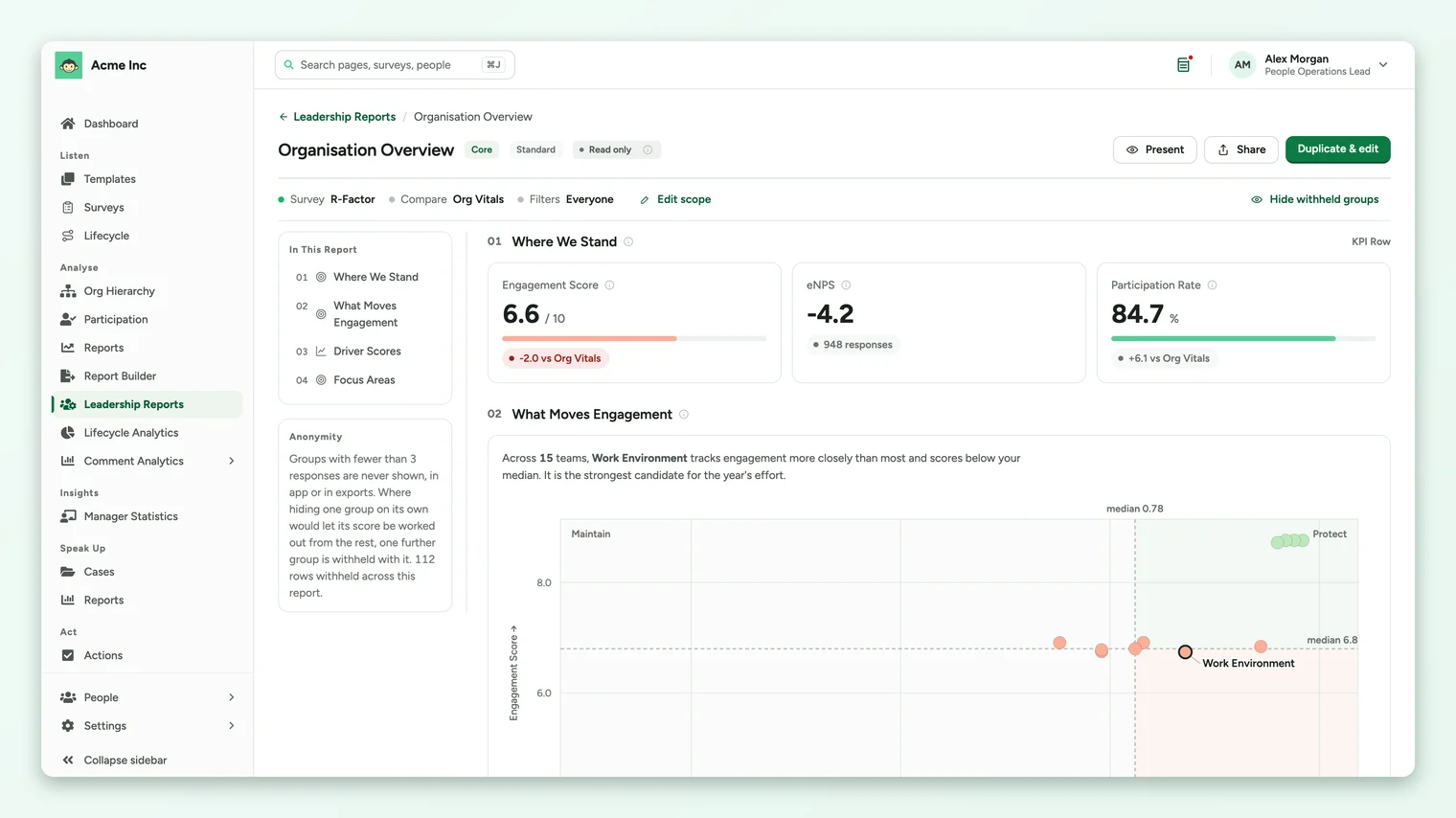
A change counts as meaningful only when it clears a 95% test and is at least 2% of your score scale (0.2 on a ten-point scale). At survey scale almost any difference passes the statistical test, so the size floor keeps very small changes from being treated as news.
The margin of error
Average scores show a margin beside the response count, such as 948 responses ± 0.04. It means that if the same people were surveyed again, the score would land within that band 19 times in 20. A wide margin means the score rests on few responses.
Question-level comparison
The Question Scores standard report shows every question's score with its movement against the comparison survey.
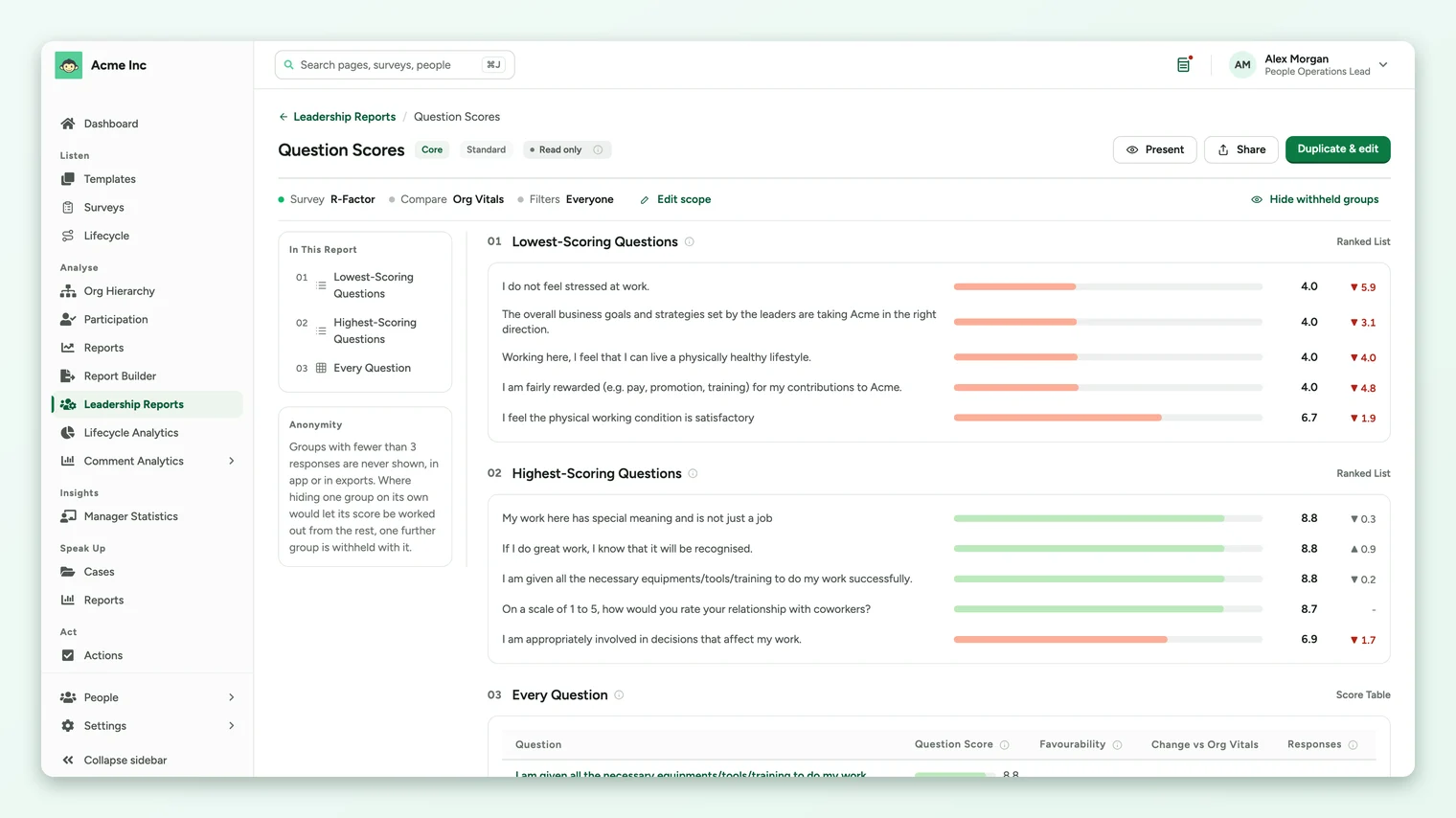
- Questions are matched on their wording, so the same question asked in both surveys lines up even though each survey holds its own copy.
- A question that was reworded, or whose type or rating scale changed, is left unmatched and shows a dash. A movement between two differently worded questions is not a movement in anything.
- Where the comparison survey withholds a group for anonymity, its comparison figure is hidden too.
Frequently asked questions
Why is a change shown in grey?
It is not meaningful: too small to act on, within normal variation, or not testable. Hover it to see which.
Can I compare two surveys that used different scales?
Questions whose rating scale changed are left unmatched rather than compared on different scales.
Does the comparison change the exported report?
Exports carry the same comparison as the report on screen.
Where to go next
Your feedback helps us improve the Help Center.