

Save and resume your survey
How CultureMonkey autosaves your survey answers as you go, how to come back later from the same link on any device, and exactly which answers are kept when you resume.
On this page
Life happens in the middle of things. You start a survey, then a meeting starts, your laptop battery dies, or you simply want to think a bit more before answering. The good news: with CultureMonkey you don't have to finish a survey in one sitting. Your answers are saved automatically as you go, so you can step away and pick up right where you left off.
This guide explains how that autosave works, how to come back and finish later (from the same link, on the same device or a different one), and exactly which answers are kept when you resume.
As you answer, CultureMonkey quietly saves your progress about every 30 seconds. When you reopen the same survey link, your previous answers are already filled in and you can carry on from there. Your progress isn't counted as a submitted response until you click the final submit button, so nothing is shared or reported until you're done.
You don't have to finish in one go
A survey isn't a timed exam. You can answer a few questions, close the tab, and return later - even hours or days later, as long as the survey is still open. There's no separate "save draft" button to remember and no special step to perform. Saving happens on its own in the background while you answer.
This matters because honest feedback often needs a moment of thought. If you had to rush to beat a timeout, you'd give quicker, shallower answers. Because your progress is held for you, you can take the time a question deserves.
Two things are worth knowing up front, and the rest of this article unpacks them:
- Your answers are saved automatically, not when you press a button.
- You resume by reopening the same survey link you started with, not by creating a new one.
How autosave works
While you're filling in the survey, CultureMonkey checks for changes and saves your progress roughly every 30 seconds. It only saves when you've actually changed something since the last save, so it isn't constantly writing in the background for no reason.
You'll see a small status message near the top of the survey while this happens. It briefly shows a "Saving..." spinner, then a "Saved" confirmation with a checkmark, and then fades away. That flash of "Saved" is your signal that your latest answers are safely stored.
An answer is captured as soon as you interact with it. Picking a rating, choosing an option, moving a slider, or clicking out of a comment box each mark your progress as changed, and the next autosave picks it up. In practice this means that by the time you close the tab, your most recent answers are almost always already saved.
If you've just answered a question and want to leave immediately, give it a couple of seconds. Watching for the brief "Saved" confirmation is the surest way to know your latest answer made it in before you close the tab.
Autosave is on for every live survey. It isn't something you (or your admin) need to switch on, and there's no setting for you to configure. The only place answers are not saved as you go is when someone is previewing a survey template internally, which isn't the survey you receive.
Resuming from the same link
Coming back is simple: open the same survey link again. That's the link from your original survey email, SMS, Slack, Teams, or WhatsApp message. See Take a survey from an email or SMS link for where to find it.
When you reopen that link, CultureMonkey recognizes that you already have answers in progress and reloads the survey with everything you'd entered already filled in. Your ratings are still selected, your chosen options are still highlighted, and your comments are still in their boxes. You simply continue from where you stopped and answer the rest.
- 1Reopen your original link - use the same invitation you started from (email, SMS, Slack, Teams, or WhatsApp).
- 2Let the survey load - your earlier answers appear already filled in, exactly as you left them.
- 3Continue answering - work through the remaining questions at your own pace.
- 4Submit when you're ready - click the submit button at the end to finish. This is the step that counts your response.
Does it work on a different device?
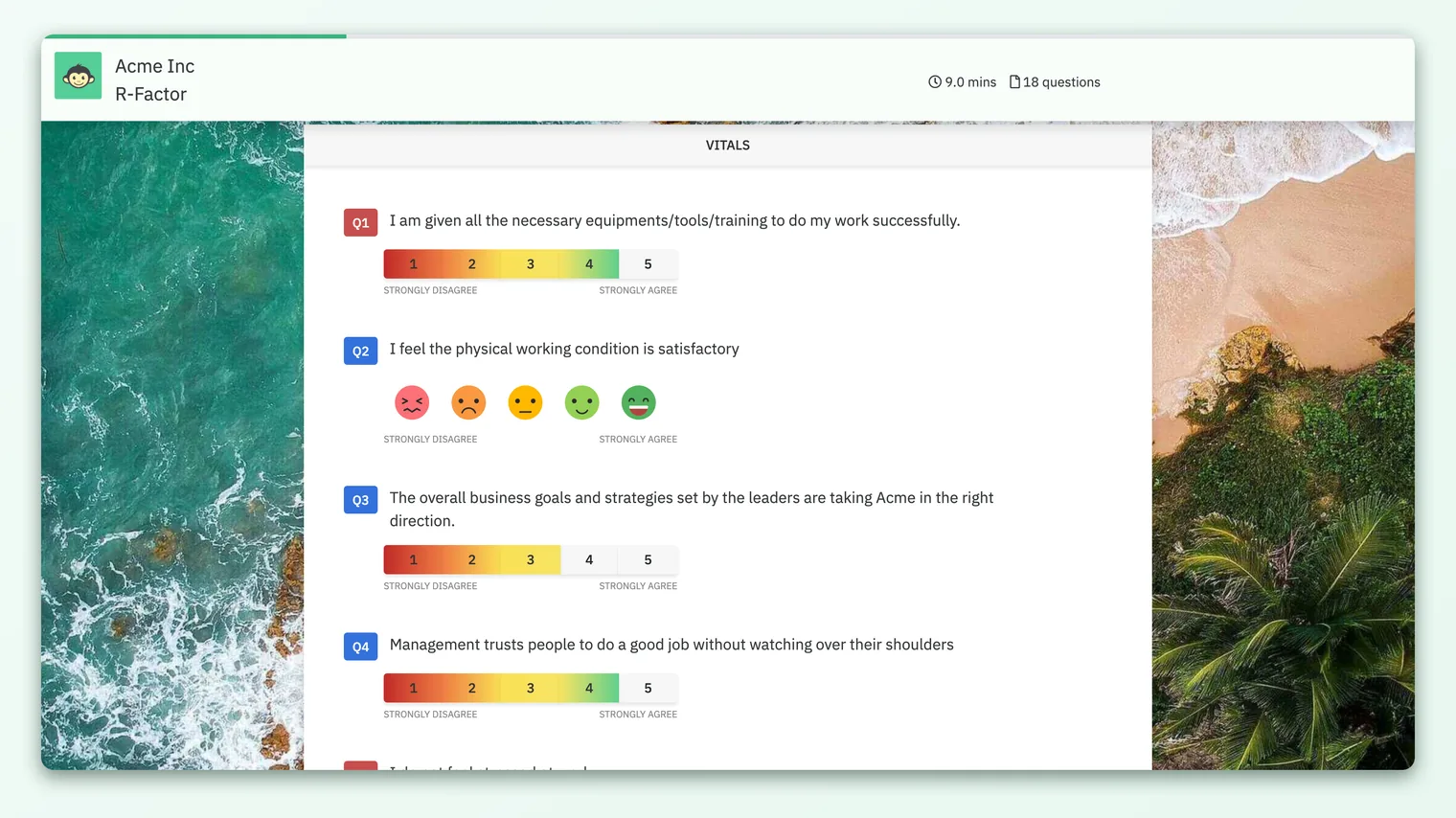
Yes. Because your progress is tied to your personal survey link and not to the specific browser or device, you can start on your phone during your commute and finish on your laptop at your desk. Reopen the same link on the second device and your earlier answers are there waiting. The same is true if you clear your browser, use a private window, or start a fresh session on the same device.
The one thing that has to stay the same is the link itself. A new or different survey link points to a different starting point, so it won't carry over answers you saved under your original link.
What gets saved (and the one thing that doesn't)
Most of what you answer is saved automatically as you go. There is one deliberate exception, and it helps to know about it.
| What you answer | Saved automatically as you go? |
|---|---|
| Rating-scale questions (for example 1-5 or a smiley scale) | Yes |
| Single-select and multiple-select questions | Yes |
| Grid / matrix questions | Yes |
| The eNPS "recommend as a place to work" question | Yes |
| Any extra eNPS-style rating questions | Yes |
| Per-question comments you add | Yes |
| "Prefer not to answer" / skip choices | Yes |
| The main open-text feedback box at the end | No - only saved when you submit |
The main open-text feedback box is the one field that isn't autosaved mid-way. This is on purpose. That comment is analyzed for sentiment and themes once it's complete, and saving a half-written thought could feed a misleading, partial sentence into that analysis. So your long-form feedback is stored only when you click submit.
Because the final open-text feedback box isn't autosaved, it's best to write and submit that comment in the same sitting. If you close the survey before submitting, a comment still being typed there won't be waiting for you when you return, even though your ratings and selections will be.
When your answers actually count
Here's an important distinction. Autosaving your progress is not the same as submitting your response.
Everything saved along the way is held quietly against your survey until you take the final step. Your saved-but-unsubmitted answers are not counted toward participation numbers and are not included in any reports or scores. They exist only so you can come back and finish.
Your response only becomes a real, counted submission when you click the submit button at the end of the survey. At that moment CultureMonkey ties your answers together into a completed response and marks you as having participated. Until then, you're free to keep changing your mind.
Saving and resuming doesn't change how anonymity works. Whether your answers are half-saved or fully submitted, they're handled under the same privacy protections. For more, see How your survey responses stay anonymous.
After you submit
Once you've submitted, the survey is complete for you. If you open your link again after submitting, you'll see a confirmation that you've already responded rather than the questions again. You can't reopen a completed survey to change answers, so it's worth reviewing before that final click.
If you genuinely need to change something after submitting, reach out to whoever ran the survey (usually your HR or People team). They can advise based on how the survey was set up.
Frequently asked questions
Do I need to click "save" anywhere?
No. There's no save button to hunt for. CultureMonkey saves your progress automatically about every 30 seconds while you answer. Just watch for the brief "Saved" confirmation near the top of the survey.
How long do I have to come back and finish?
For as long as the survey is still open. Surveys have a closing date set by your organization, and once a survey closes you won't be able to reopen the link to finish. If you're partway through, it's best not to leave it too long.
I started on my phone. Can I finish on my computer?
Yes. Open the same survey link on your computer and your earlier answers will be filled in, ready for you to continue. Your progress travels with the link, not the device.
I closed the survey before finishing. Did I lose everything?
Almost certainly not. Any answers that had been saved (which is nearly all of them, since saving happens every 30 seconds) will reappear when you reopen your link. The only thing that isn't kept is a closing open-text comment you were still writing but hadn't submitted.
Will half-finishing count as a response?
No. Nothing counts until you click submit at the end. Saved-in-progress answers aren't included in participation numbers or reports, so leaving a survey partway through doesn't register as a completed response.
Can I change my answers after submitting?
No. Once you submit, your response is final and the link will show that you've already responded. Review your answers before that last click, and contact whoever ran the survey if you truly need a change.
Where to go next
- Find your link: Take a survey from an email or SMS link
- Understand your privacy: How your survey responses stay anonymous
- Curious about results? Why can't I see results yet?
Your feedback helps us improve the Help Center.