

Common questions from survey-takers
Answers to the questions employees ask most before filling out a CultureMonkey survey - is it anonymous, why did I get it, can I change my answer, can I finish later, what language, who reads my comments, is it mandatory, and how long it takes.
On this page
Your company has asked for your honest opinion, and a CultureMonkey survey has landed in your inbox, your Slack, or your Microsoft Teams. Before you start answering, it's completely normal to have a few questions. Is this really anonymous? Why did I get it? What if I change my mind halfway through? What if my manager reads my comments?
This guide answers the questions employees ask most often, in plain language, and grounded in how CultureMonkey actually works. The short version: the system is built to protect you and to make answering as painless as possible. Read on for the details.
Most surveys are anonymous, so your individual answers can't be traced back to you. You got the survey because you're part of the group your company chose to hear from. You can change any answer freely until you hit submit, and you can stop and finish later from the same link - CultureMonkey saves your progress as you go. Comments are shown to admins and managers pooled and anonymized, never with your name attached. Most surveys take just a few minutes.
Anonymity and privacy
This is the question that matters most, so it comes first. Honest feedback only happens when you feel safe giving it, and CultureMonkey is designed around that idea.
Is this survey anonymous?
Most engagement surveys are anonymous. That means your individual answers are never linked to your name in any report. Admins and managers see scores, eNPS, and comments pooled together across a group, never a list of "who said what."
Some surveys are deliberately non-anonymous (also called identified), usually for things like a new-hire check-in or an exit conversation where someone needs to follow up with you personally. When that's the case, you should be told clearly, and your survey invitation or the survey itself will make it plain. If you're ever unsure which kind you're answering, ask whoever sent it, or see Is my feedback really anonymous?.
Can my manager or HR see how I personally answered?
In an anonymous survey, no. There is no screen anywhere in CultureMonkey that shows an individual person's answers on an anonymous survey - the data simply isn't exposed that way. Your manager sees their team's results combined, and only once enough people have responded.
That "enough people" part is a real safeguard called the response threshold. Results for any group stay hidden until a minimum number of people (commonly 3) have answered. So if you're on a team of two, your manager won't see a score at all, because showing it could reveal what you individually said. Small teams and narrow filters stay blank on purpose.
CultureMonkey enforces anonymity in the product itself. In an anonymous survey, the link between you and your answers isn't hidden by policy alone - the reporting layer never shows it in the first place. That's why you can be candid.
Who sees my written comments?
Your comments are read by the admins and managers responsible for acting on feedback, but in an anonymous survey they appear without your name - labeled simply as "Anonymous." They're there to be understood and acted on, not to identify you.
There's one feature worth knowing about. If someone wants to respond to a comment you left (for example, "thanks for raising this, can you tell us more?"), they can start an anonymous conversation with you. You'll get a message through a secure link, you can reply, and they can reply back - all without either side ever seeing your identity. You're always free to ignore it. Nobody learns who you are by talking to you.
Do my comments get changed or filtered?
No. What you write is what gets stored. CultureMonkey may analyze the sentiment of a comment (whether it reads as positive, neutral, or negative) to help summarize themes across many responses, but it doesn't edit or hide your words. Your comment is counted and shown in full, anonymized, alongside everyone else's.
Why me, and is it required?
A survey landing in your inbox can feel random. It isn't. Here's what's behind it.
Why did I get this survey?
You received it because you're part of the audience your company chose for this survey. That might be everyone in the organization, or it might be a specific group - your department, your location, people who joined recently, or another slice your HR team defined. You didn't do anything to trigger it, and it isn't targeted at you as an individual. You're simply one of the people whose view your company wants to hear.
For recurring pulse surveys, you may get a short survey (sometimes a single question) on a regular cadence. Again, that's by design - lots of small check-ins over time paint a clearer picture than one big survey a year.
Is this mandatory? Do I have to answer?
Whether the survey is required is a decision your company makes, and it's usually communicated when they invite you. CultureMonkey itself doesn't lock you out of anything for skipping a survey.
Within the survey, individual questions can be marked mandatory or left optional. If a question is required, you can't submit until you've answered it, and the form will point you to any you missed. Everything else, you can leave blank. Many questions also offer a "Question not applicable" choice, so if something genuinely doesn't apply to you, you can say so honestly instead of guessing. A skipped question is left out of the results entirely, so it never distorts anything.
There's no benefit to rushing or telling people what you think they want to hear. Anonymous, thoughtful answers are exactly what make the survey useful - to you and to everyone you work with. Take the questions at face value and answer the way you really feel.
How long will this take?
Most surveys take just a few minutes. The exact time depends on how many questions your company included and how much you choose to write in the open-text boxes, but engagement and pulse surveys are intentionally kept short. Pulse surveys can be as brief as a single question. If a survey looks long, remember you don't have to finish it in one sitting (more on that below).
Answering the survey
The mechanics of filling it out are simple, but a few things are worth knowing so you're never caught out.
How do I open my survey?
You'll get a personal link in your survey invitation, delivered by email, Slack, or Microsoft Teams depending on how your company sends them. Just open the link and you're in - most of the time there's no password and no account to create.
Occasionally, for extra assurance, you'll be asked to confirm a one-time passcode (OTP): you enter your work email (and sometimes an employee ID), and CultureMonkey sends a short code to verify it's you before showing the survey. If the code expires, there's a Resend option. For a full walkthrough, see How to open and access your survey.
Can I change my answer after I select it?
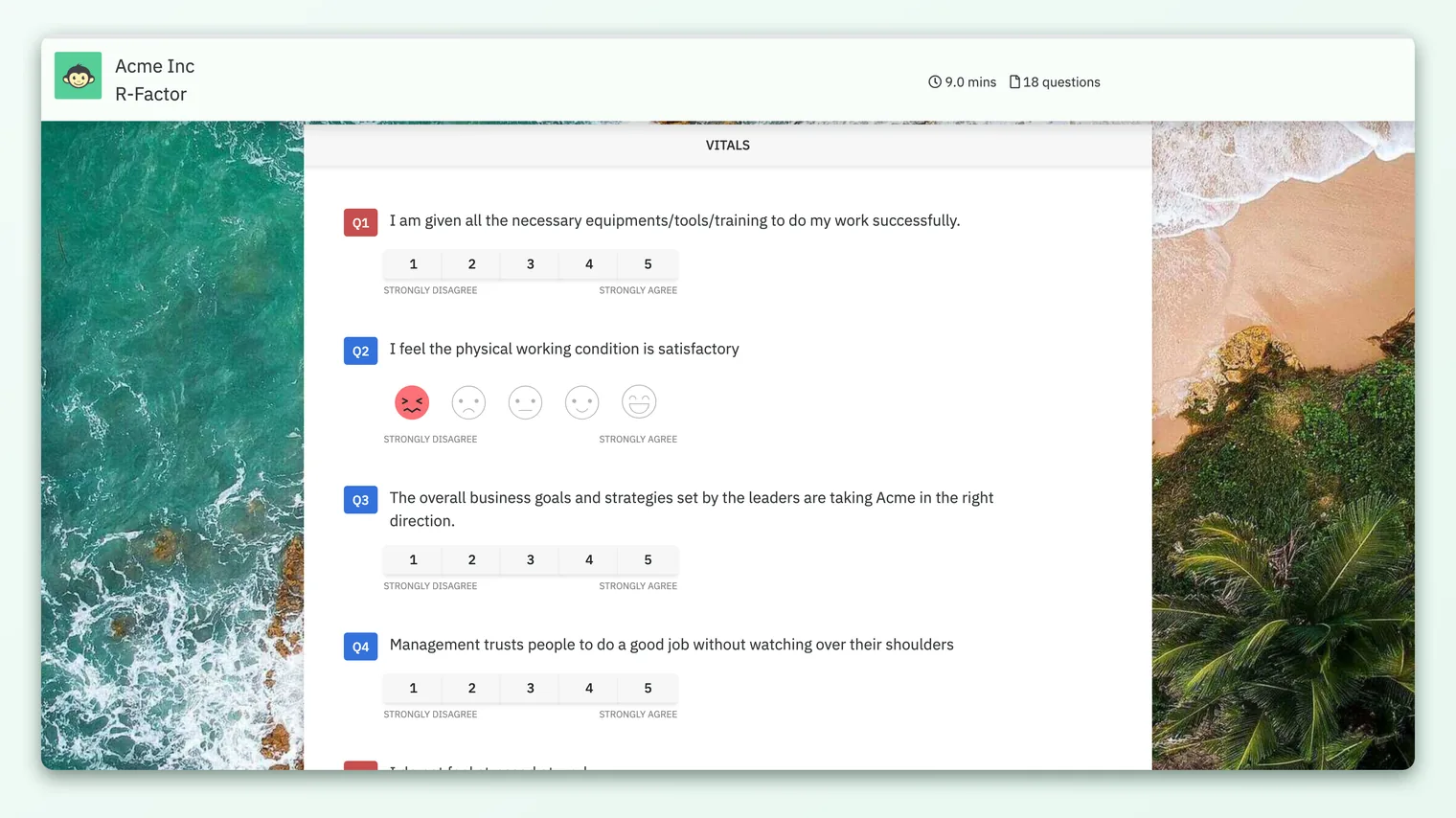
Yes, freely - as long as you haven't submitted yet. While you're filling out the survey, you can go back and change any rating, re-pick an option, or edit a comment as many times as you like. Nothing is final until you click submit at the end. Your latest choice is always the one that counts.
Can I change my answer after I submit?
No. Once you submit, your response is locked in, and reopening the link will show a message that you've already submitted this survey. This is deliberate: it keeps the results clean and prevents duplicate or altered responses. So take a moment to review before you submit - but don't overthink it. Your honest first read is usually the right one.
Can I stop now and finish later?
Yes. CultureMonkey saves your progress automatically as you go (roughly every 30 seconds, and whenever you move off a field). If you close the tab, run out of time, or switch devices, just reopen the same personal link and your saved answers will be waiting, already filled in - even from a different browser or phone. You pick up right where you left off. See Save and resume a survey later for the details.
Ratings and selections are saved automatically as you go, but open-text comments are only saved when you submit the survey. So if you're partway through writing a long comment and you plan to step away, either finish and submit, or copy your text somewhere safe first. Your ratings will be preserved either way - it's only unsent free-text that isn't held between sessions.
The survey is in the wrong language. Can I change it?
If your company set up the survey to be multilingual, you'll see a language selector on the survey page - pick the language you're most comfortable with and the questions, options, and messages switch to it. If your preferred language was already set on your profile, the survey may open in it automatically. If you don't see a language option, the survey was published in a single language and that's the only version available for it.
What happens after I submit?
You'll see a thank-you / completion message confirming your response was recorded (your company can customize the wording, and it appears in your chosen language on multilingual surveys). That's it - you're done. Your answers flow anonymously into the pooled results, and there's nothing further you need to do.
Frequently asked questions
Will my responses affect my job or performance review?
No. Engagement survey responses are used to understand and improve the workplace, not to evaluate you. In an anonymous survey your individual answers aren't even visible to anyone, so they can't be tied to you at all. The goal is a better work experience, full stop.
I got the same survey twice. Which one do I answer?
Open either link and check. If you've already submitted, reopening will tell you so, and you don't need to do anything more. If neither shows as submitted, just complete one of them - your response is recorded against you once, so you won't be double-counted.
Can I skip a question I don't want to answer?
If the question is optional, yes - leave it blank and move on. If it's mandatory, you'll need to answer it to submit, but many questions offer a "Question not applicable" option you can select when something genuinely doesn't apply to you. Skipped and not-applicable answers are excluded from the results, so they don't skew anything.
I don't have a password. How am I supposed to log in?
You usually don't need one. As an employee answering a survey, you access it through the personal link in your invitation, not the admin login screen. If you're prompted for anything, it'll be a one-time passcode sent to your email to confirm it's you - never a permanent password to remember.
My link expired or the survey closed. What now?
Surveys run for a set window and can close once that period ends. If your link no longer works, the survey has likely closed. Reach out to whoever sent it (usually your HR team) - they can tell you whether it can be reopened or extended.
Where to go next
- The whole picture: How CultureMonkey handles multiple languages
- Worried about privacy? Is my feedback really anonymous?
- Can't open your survey? How to open and access your survey
- Need to step away mid-survey? Save and resume a survey later
Your feedback helps us improve the Help Center.