

Set team performance targets
How managers create a driver-score goal for their team, track progress against it over survey cycles, and read how the target displays on the manager dashboard.
On this page
Knowing where your team stands on each engagement driver is useful. Knowing where you want it to be, and by when, is what turns a score into a plan. A team performance target is a goal you set for a single driver: pick the driver, choose the score you're aiming for, and CultureMonkey remembers it so you can measure each new survey result against the line you drew.
This guide covers what a driver target is, how to set one from your manager dashboard, how the target displays alongside your current score and the industry benchmark, how progress is tracked over survey cycles, and the best practices that keep targets motivating rather than gameable.
A team performance target is a per-driver goal score (on the same 0-10 scale as your driver scores) that a manager sets for their own team. It lives on your CultureMonkey manager dashboard next to your current score and the industry benchmark, and it stays put across survey cycles so you can watch your score climb toward it. Targets are personal to you as a manager and don't change anyone's actual results.
What a team performance target is
Every engagement survey in CultureMonkey rolls its rating questions up into drivers such as Recognition, Manager Relationship, or Growth. Each driver gets a score on a 0-10 scale, and as a manager you see those scores for your own team on the manager dashboard.
A performance target sits on top of one of those driver scores. It's a number you choose, for example 7.5 for Recognition, that represents where you want your team to be. Once saved, the target becomes a reference point: every time a new survey closes and your driver score refreshes, you can see at a glance how far you are from the goal and whether the gap is shrinking.
Two things are worth being clear about from the start:
- A target is yours. It's tied to you as a manager and to a specific driver. Setting a target doesn't affect your team's scores, your peers' dashboards, or the company-wide numbers. It's a private line in the sand that helps you stay focused.
- A target is a driver-level goal, not a per-question one. You aim at the driver (the themed group of questions), not at any single survey question. That keeps the goal stable even as the exact questions in a cycle vary.
Why set a target at all
A score on its own answers "where are we?" A target adds "where are we going, and are we getting there?" That small shift changes how you use the dashboard.
- It makes progress visible. A driver that moves from 6.2 to 6.6 looks like noise until you've set a target of 7.5 and can see the gap closing. The goal gives the movement meaning.
- It focuses your energy. You can't push on every driver at once. Committing to a target on one or two focus areas is a way of deciding where your attention goes this quarter.
- It connects insight to action. A target pairs naturally with an action plan: the target says what you're aiming for, the action plan says how you'll get there.
- It sets a fair bar. Anchoring your target near the industry benchmark (which CultureMonkey shows next to your score) keeps the goal realistic rather than plucked from the air.
The most useful target is close enough to feel achievable this cycle and far enough to require real change. A jump from 6.0 to 6.5 or 7.0 tends to motivate; a leap from 6.0 to 9.5 tends to discourage. You can always raise the target once you clear it.
Setting a target from your dashboard
Targets are set from the manager dashboard, the same place you review your team's scores, strengths, and focus areas.
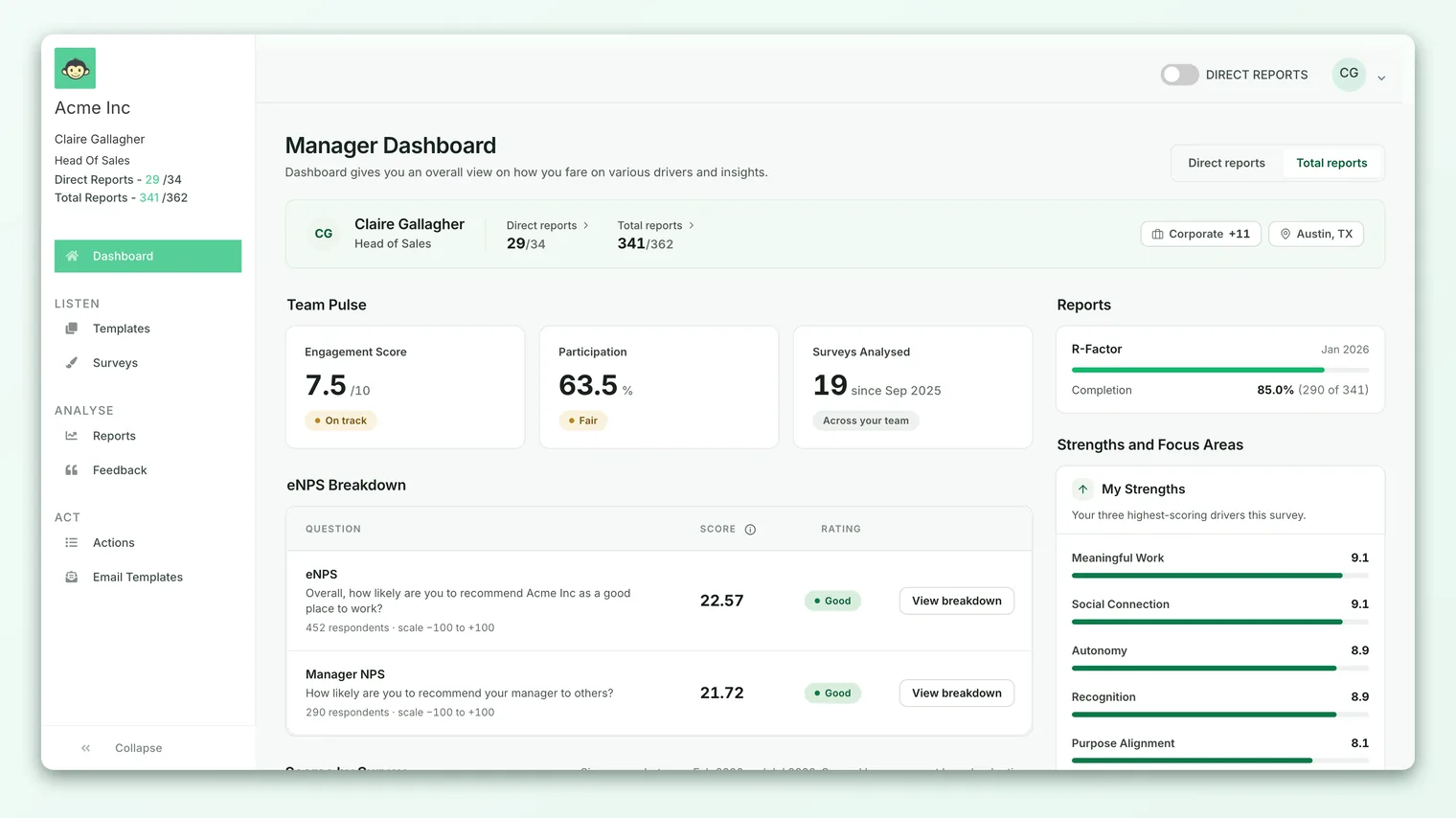
The flow to set a goal for a driver looks like this:
- 1Open your manager dashboard - go to Dashboard from the main navigation. If you manage people, this is the manager view with your team's driver scores.
- 2Pick the driver - find the driver you want to set a goal for in your scores or focus-areas list. Setting targets on a focus area (a lower-scoring driver) is usually where a goal does the most good.
- 3Open the goal dialog - choose the option to set a target for that driver. A "Manager Goal" dialog opens, showing the driver name, the industry benchmark, and your current score for context.
- 4Choose your target score - use the number field (or the plus and minus steppers) to set the score you're aiming for. The value is on the same 0-10 scale as your driver scores and can be set in fine increments, so you can aim at 7.0, 7.5, and so on.
- 5Save - save the goal. You'll see a confirmation, and the target is stored against that driver for you.
To change a target later, reopen the same dialog for that driver and save a new number. Saving again simply updates the existing goal rather than creating a second one, so a driver only ever has one live target at a time.
When you set a target you're looking at the industry benchmark, your current score, and the target you're choosing, all together. That context is deliberate: it stops you from setting a goal in a vacuum and nudges you to aim relative to where the wider industry sits.
How the target displays
Once saved, your target becomes a reference point wherever that driver's score is shown to you. You'll see it in relation to two other numbers that are already on the manager dashboard:
| Number | What it is | Where it comes from |
|---|---|---|
| My score | Your team's current score for the driver | Your latest survey results |
| Industry benchmark | The typical score for this driver in your industry | CultureMonkey's benchmark data |
| My target | The score you're aiming for | Set by you |
Seeing all three together tells a quick story. If your score is below the benchmark and your target sits just above it, you have a clear, defensible goal: catch up to the industry, then pull ahead. If your score already beats the benchmark, a target lets you keep pushing rather than coasting.
Missing a target isn't a failure, and hitting one isn't the finish line. Scores move for many reasons, some outside your control (a reorg, a tough quarter, a small response count). Use the target to steer your attention and conversations, not to grade yourself or your team.
Tracking progress across cycles
A target only earns its keep over time. Because it stays fixed while your driver score refreshes each survey cycle, the target turns a series of scores into a trend with a destination.
A practical rhythm for using targets:
- 1Set the target when you spot a focus area. After a survey closes, review your strengths and focus areas. Put a target on the one or two focus areas you actually plan to work on.
- 2Pair each target with a plan. For every target, create an action plan with concrete steps and an owner. The target is the destination; the action plan is the route.
- 3Check the gap after each cycle. When the next survey closes, compare your refreshed score to the target. Is the gap shrinking? Staying flat is a signal to change your approach, not just to try harder.
- 4Close the loop with your team. Tell your team what you heard, what you're working on, and how it's tracking. Visible follow-through is itself one of the strongest ways to move a driver.
- 5Reset the target when you clear it. Once you consistently beat a target, raise it or move your focus to the next driver. Targets are meant to evolve.
Because the target is anchored to the driver rather than to a single survey, it carries forward automatically. You set it once and it keeps measuring you, cycle after cycle, until you change it.
Best practices
- Fewer, deeper targets beat many shallow ones. Set goals on one or two drivers you'll genuinely work on. A dashboard full of targets you're not acting on is just clutter.
- Anchor to the benchmark. Use the industry benchmark shown in the goal dialog as your reference. A target a little above the benchmark is credible and motivating.
- Move in steps. Aim for the next realistic increment (0.5 to 1.0 points), clear it, then raise the bar. Steady, compounding gains beat one heroic leap.
- Tie every target to an action. A target without a plan behind it rarely moves. Pair each goal with an action plan.
- Revisit targets each cycle. Treat target-setting as a habit that follows each survey, not a one-time exercise.
Limitations and things to keep in mind
- Targets are per manager, per driver. They're personal reference points, not shared team KPIs. If you want a goal cascaded across many teams, that's an organization-level conversation, not a dashboard target.
- A target doesn't change any scores. It's a line you draw, nothing more. Your team's actual results are calculated purely from their responses.
- Scores still respect anonymity thresholds. If your team is too small for a driver to show a score, you won't have a meaningful number to target yet. Targets are most useful once you have enough responses for stable scores.
- The target is only as good as the trend. One survey cycle is noisy. Judge progress toward a target across several cycles, not on a single jump or dip.
Frequently asked questions
Can other people see the targets I set?
Targets are tied to you as a manager and to a specific driver. They're a personal reference point on your dashboard and don't change your team's scores or the numbers other people see.
Does setting a target change my team's score?
No. A target is a goal you draw next to your score. Your team's actual driver score is calculated only from their survey responses and is unaffected by any target you set.
What scale is the target on?
The same 0-10 scale as your CultureMonkey driver scores, so a target of 7.5 means you're aiming for a driver score of 7.5. You can set it in fine increments rather than only whole numbers.
Can I set a target for more than one driver?
Yes. You can set a target on each driver separately. In practice, focusing on one or two drivers at a time makes the goals more meaningful and more likely to move.
How do I change or remove a target?
Reopen the goal dialog for that driver and save a new value. When you save, CultureMonkey updates the existing target rather than adding a second one, so each driver keeps a single live target.
Where do I decide which drivers to target?
Start from your strengths and focus areas. Your focus areas (the lower-scoring drivers) are usually where a target and a matching action plan do the most good.
Where to go next
- See which drivers to target: See your team's strengths and focus areas
- Turn a target into a plan: Build and manage action plans
- Understand a headline team metric: What is eNPS and how is it calculated?
Your feedback helps us improve the Help Center.