

New in CultureMonkey
Heatmap Score Comparison Now on the Reports page as well as the Dashboard
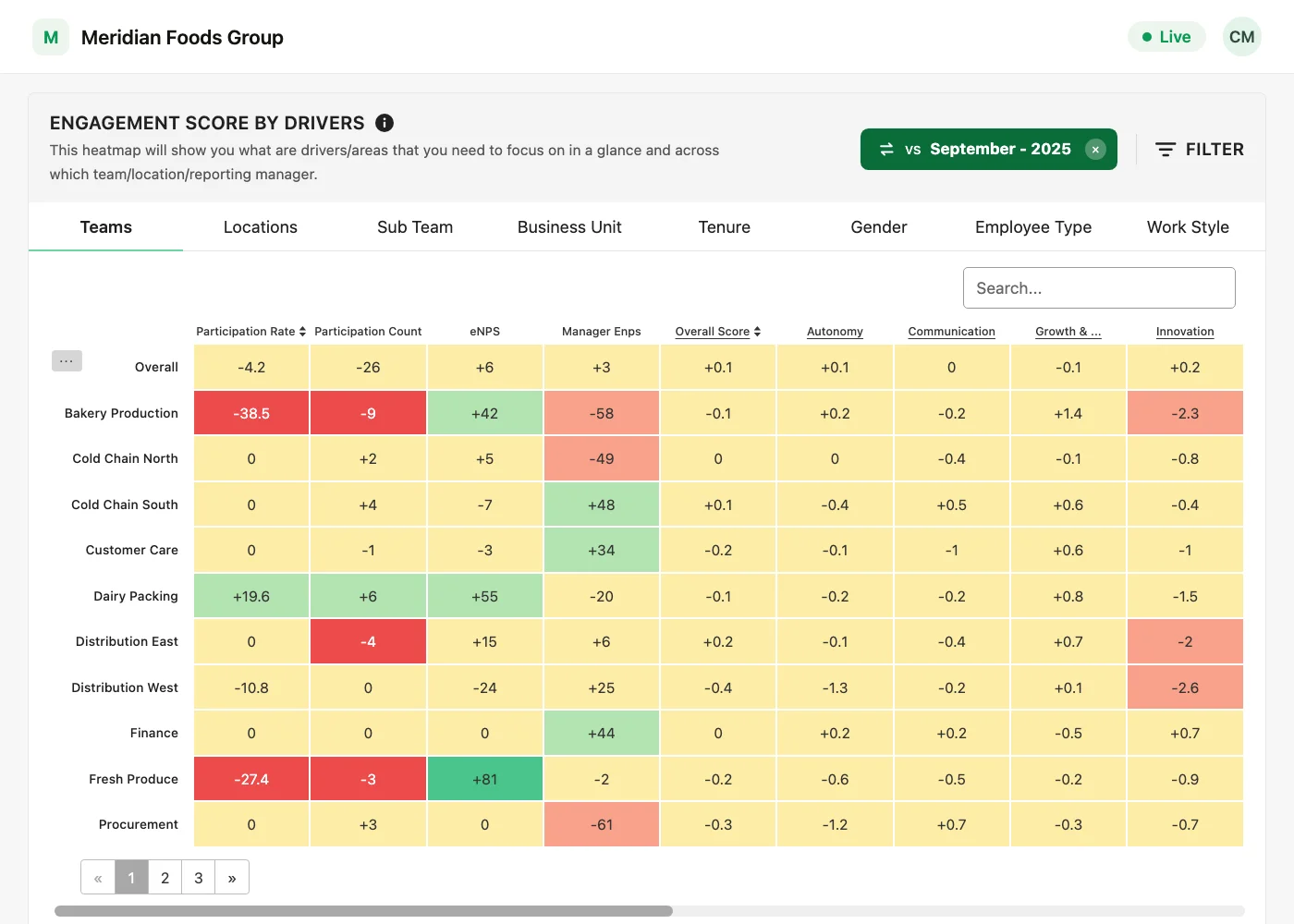
Compare one survey's heatmap scores with another survey from the Reports page, as well as from the Dashboard.
2 placesthe Dashboard and the Reports page
3 rolesSuper Admin, Sub Admin and Manager
Unchangedscore calculation and comparison logic
Compare heatmap scores from the Reports page. Heatmap Score Comparison, until now only on the Dashboard heatmap, works on the Reports page as well, the same way it works on the Dashboard.
Availability
Heatmap Score Comparison is available on request through your Success Manager. It covers both the Dashboard and the Reports page.
How it works on the Reports page
Open a survey's report and go to its heatmap of engagement scores by driver. From there:
- 1Select Compare survey at the top of the heatmap.
- 2In Compare survey scores, choose the survey you want to compare this one with.
- 3Select Compare. The heatmap now shows the difference in each score between the two surveys.
- 4To go back to the regular scores, clear the vs label at the top of the heatmap.
Same numbers as the Dashboard
Scores are calculated and compared the same way on the Reports page as on the Dashboard, and the comparison on the Dashboard is unchanged.
Who can use it
- Super Admin: yes.
- Sub Admin: yes, within the part of the organisation they have access to.
- Manager: yes, for the part of the organisation they can see, unless your account hides heatmaps from Managers.
- Report view only access: not included.
Built with our customers
See what a warmer engagement platform looks like
Book a walkthrough and we will show you the features on this page, live in your workspace.