

Leadership Reports Drill into any row, with scores that match your survey reports
Leadership Reports gets a drilldown on every row, scores that agree with the survey report, access for Super Admins only, and stronger anonymity in filters, exports, the drilldown and comparisons.
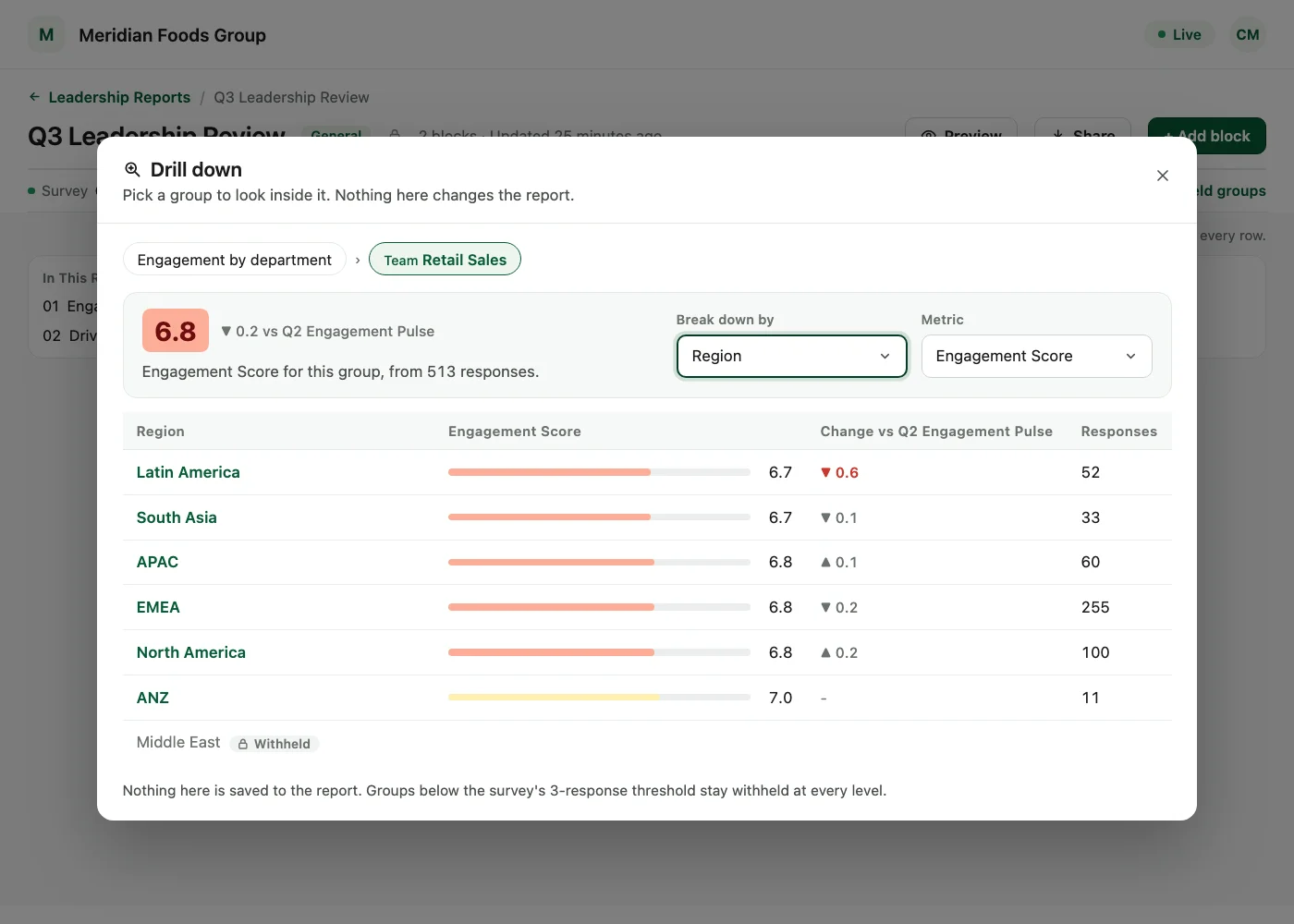
Every row in a Leadership Report now opens up. A Leadership Report is built from blocks, each split into rows, and you can filter it, export it and compare it against another survey. This release adds a drilldown on any row, brings its scores in line with the survey report, limits it to Super Admins and tightens anonymity in filters, exports, the drilldown and comparisons.
Leadership Reports is available on request through your Success Manager.
Drill into any row
Open any row of a block and break it down by another attribute. The breakdown opens in a dialog, so the report itself is not saved or changed while you explore.
- One level deep: a drilldown breaks a row down once, by the attribute you choose.
- Same anonymity rules: the drilldown follows the same anonymity rules as the report it opens from.
- Nothing saved: close the dialog and the report is exactly as it was.
Scores that match the survey report
Engagement, driver and question scores in Leadership Reports now leave out answers to conditional follow-up questions, the same way the survey report does.
On surveys that include follow-up questions, figures in a Leadership Report can change so that they match the survey report.
Stronger anonymity
- Withheld filter values show nothing: a filter set to a value that the filter list withholds shows no results, on screen, in exports and in the drilldown.
- Saved reports explain the gap: a saved report that uses such a filter opens blank, with a note explaining why.
- Comparisons follow the comparison survey: comparison figures are hidden wherever the comparison survey hides the group.
Who can use it
Leadership Reports is available to Super Admins only. Sub Admins and Managers do not have access.
- Editing: only the Super Admin who owns a report can edit it.
- Viewing: other Super Admins who can see a report can drill down into it or duplicate it.
- Reports a Sub Admin already created stay in place. Those visible to the whole account remain listed for Super Admins.
See what a warmer engagement platform looks like
Book a walkthrough and we will show you the features on this page, live in your workspace.