

Participation Card for Sub Admins Your teams' participation on every page
Sub Admins can check how their teams are doing on every running survey without opening a report.
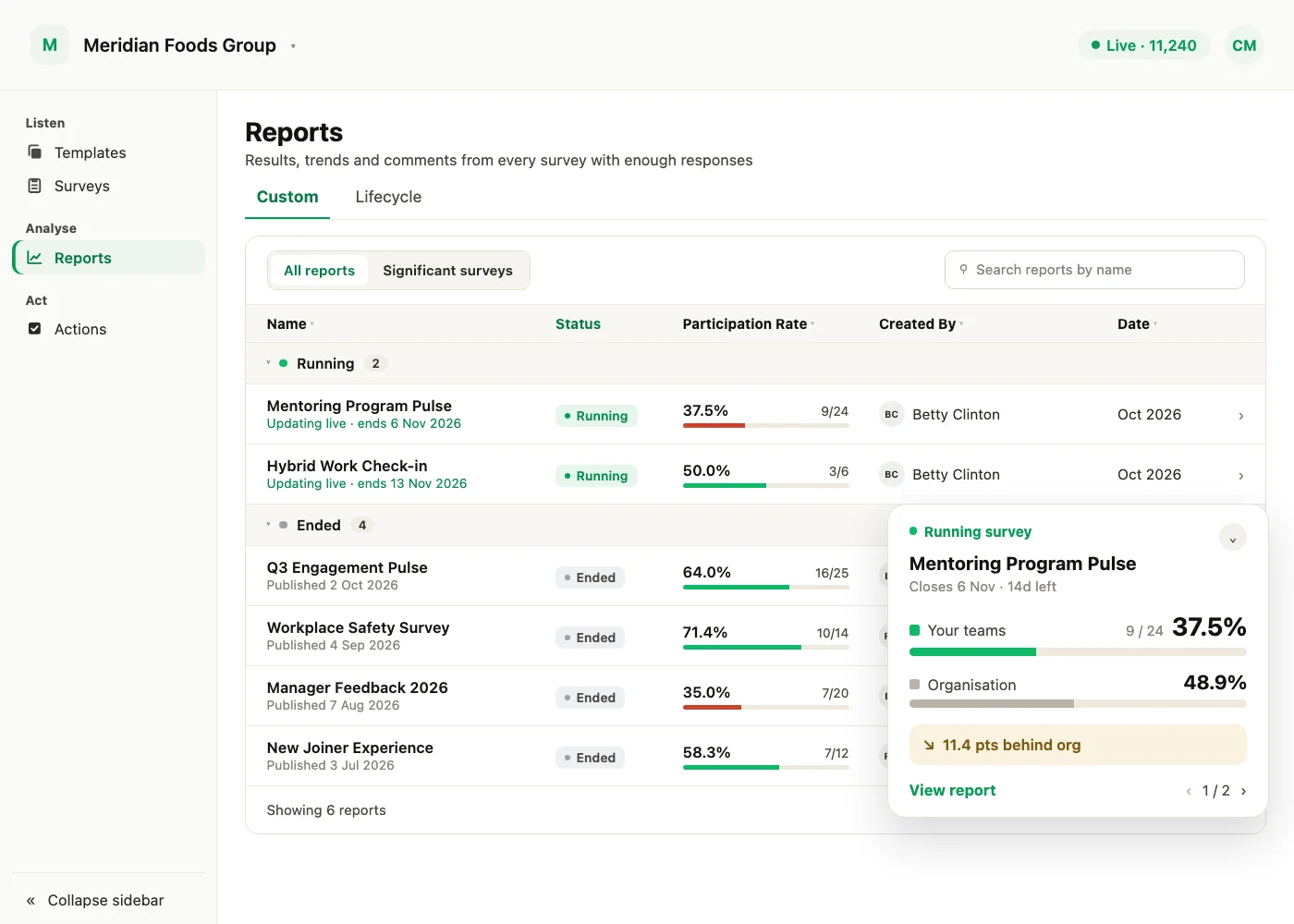
Sub Admins now see a floating participation card on every page. They can check how their teams are doing on a running survey without opening a report.
What the card shows
For each running custom survey the Sub Admin can access, the card shows their teams' participation rate against the organisation rate, and how many points their teams are ahead of or behind the organisation. Use the pager to move between surveys.
Stays out of the way
- Collapse or hide it: collapse the card to a small pill, or hide it to the edge of the screen.
- Back at every login: the card comes back at every new login.
- Not in manager view: the card is not shown when a Sub Admin switches to manager view.
View report
View report appears only when that survey's report is listed for the Sub Admin. Surveys where their teams' participation is at or below 1% have no link, in line with the Reports list.
Lifecycle surveys are not included. The card shows the organisation's participation rate, never the organisation's headcount. Super Admins do not see the card.
The August updates on Participation opened the Participation report to every Super Admin and added invitation status to Manager eligibility.
See what a warmer engagement platform looks like
Book a walkthrough and we will show you the features on this page, live in your workspace.