

Question Tags Group survey questions by theme, and read results by tag
Group survey questions under themes your organisation chooses, then read results through those themes, with tag scores that match the question-level results.
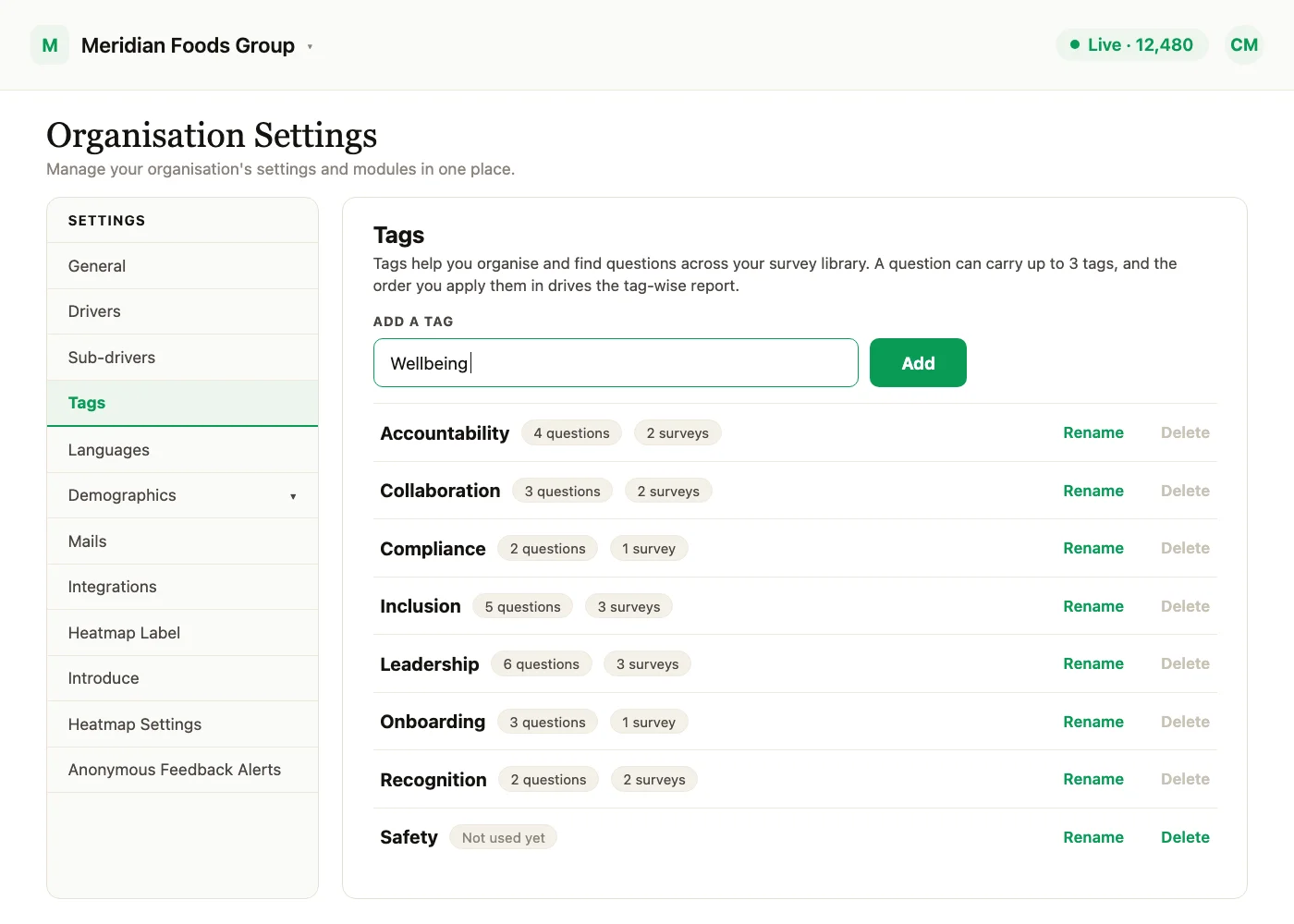
Your themes, on your questions. Question Tags let a Super Admin build a curated list of tags, attach them to survey questions, and then read survey results by tag.
Question Tags are available on request through your Success Manager.
Setting up your tags
Tags are a curated list kept in one place, and questions are tagged from that list.
- 1Open Settings, then Tags.
Settings, then Tags: add a tag, and see how many questions and surveys use each one. - 2Create, rename or delete tags there.
Type a tag name and choose Add. Each tag can then be renamed or deleted from the list.
A tag that is still attached to questions cannot be deleted. Each question can carry a limited number of tags; the maximum is set for your account.
Tagging questions
Attach tags to a question in two places: in the question builder, and when you add a question from the library.
Tags carry over when:
- a survey is cloned,
- a question is added from the library,
- a survey is copied to a template, or created from one.
Reading results by tag
In survey reports you can filter and report by tag, and there is a tag hierarchy view.
- Tag scores match question scores: tag scores are built from the existing per-question scores, so they match the question-level results.
- Employees never see tags.
- Candidate and lifecycle surveys are not included.
Who can do this
| Task | Who |
|---|---|
| Create, rename and delete tags | Super Admin only |
| Tag questions in the builder and from the library | Super Admins, and Sub Admins and Managers on surveys whose questions they can edit |
| Filter and read results by tag | Super Admins |
See what a warmer engagement platform looks like
Book a walkthrough and we will show you the features on this page, live in your workspace.