

Split Report by Sections One report for each section of a survey
Split an ended survey's report by its sections and each section becomes a full report of its own, with the original left unchanged.
One survey, one report per section. You can now split an ended survey's report so each section becomes a report of its own. Each new report has every report feature, and the original report is never changed.
Where to find it
- 1Open the report of an ended survey.
The report of an ended survey. - 2Open Share, then choose Split report by sections.
Share, then Split report by sections. - 3Check the reports listed in the dialog, then confirm to create them.
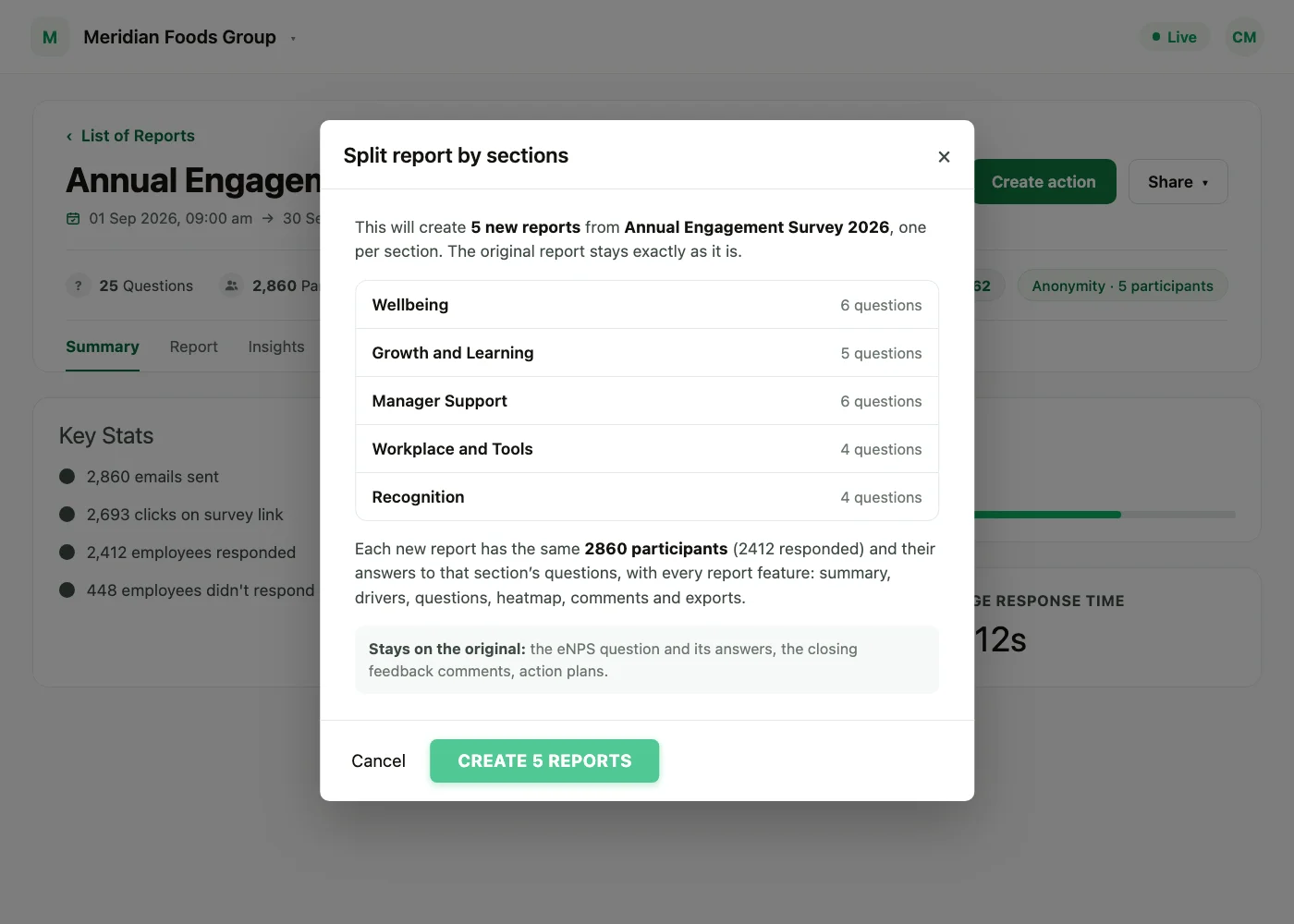
The dialog for a survey with two sections: each section and its question count, the participants every new report keeps, and what stays on the original.
The dialog says exactly what will be created before anything happens: one report per section, with each section's question count and the number of participants in every new report.
When the new reports are ready, the Super Admin who split the report gets an email.
What each new report contains
- The same participants as the original survey, with their answers to that section's questions only.
- Every report feature: summary, drivers, questions, heatmap, exports, benchmark and manager access.
- Demographics as they were when the survey ran. They are carried over from the original, not rebuilt from today's employee records.
- Names: new reports are titled after the survey with "[split-1]", "[split-2]" and so on added.
eNPS, closing comments, conversations and action plans stay on the original report and are not copied into the new ones. Account-wide figures, such as your dashboard and benchmark, do not count split reports twice.
When it is available
Split report by sections appears in the Share menu when:
- The survey has ended.
- The survey has at least 2 sections.
- No section is empty, and every question sits inside a section.
- It is not a lifecycle or automated survey.
- The report is not itself a report split from another one.
Who can do this
Splitting a report is available to Super Admins on every account. Sub Admins and Managers do not see the option.
See what a warmer engagement platform looks like
Book a walkthrough and we will show you the features on this page, live in your workspace.