

Phone Number Checks Catch SMS and WhatsApp problems before you launch
CultureMonkey now checks every employee phone number, and surveys that send by SMS or WhatsApp show how many people may not get the message, before launch.
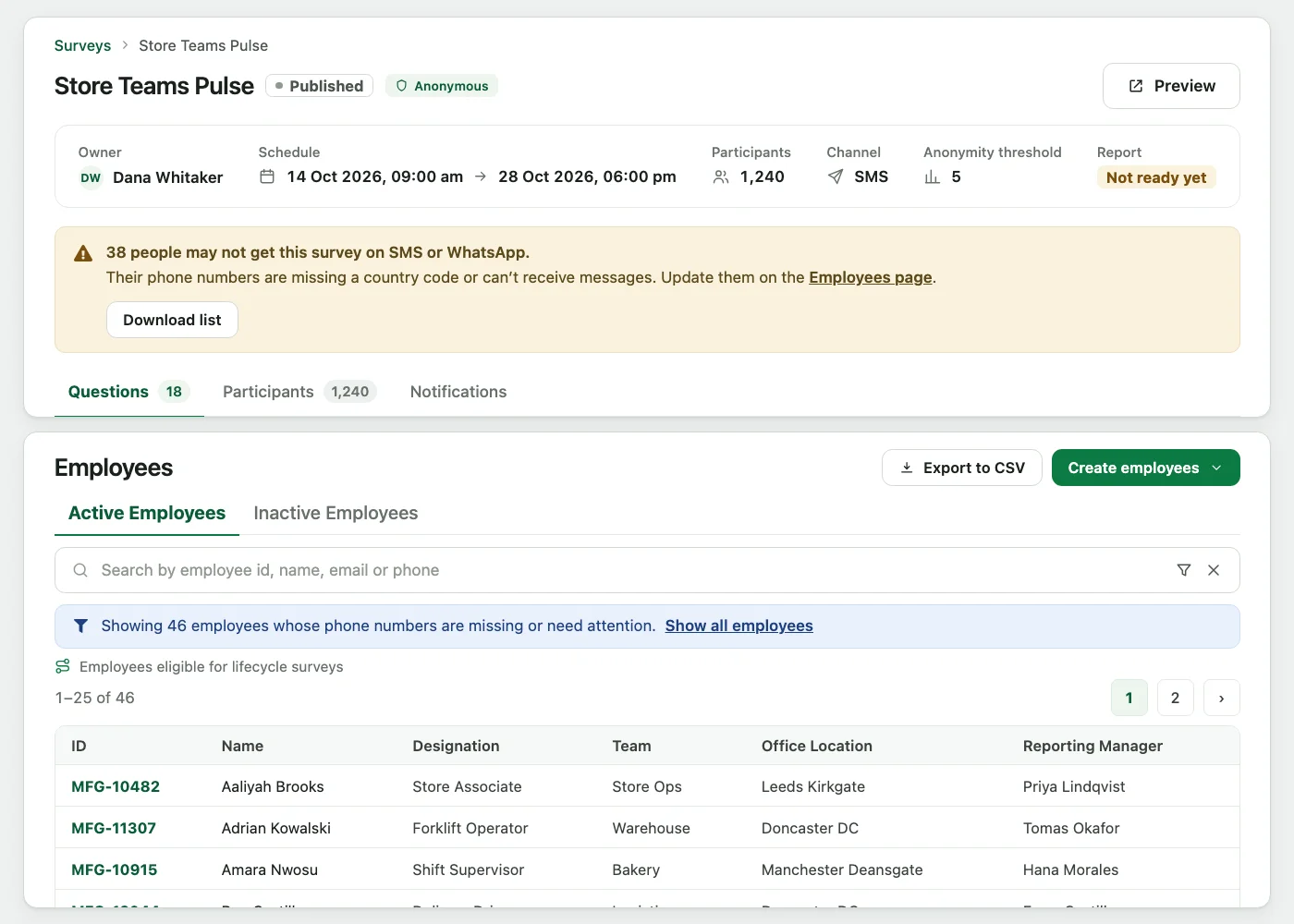
Find the numbers that will not work before the survey goes out. CultureMonkey now checks every employee phone number and flags the ones that need attention. Surveys that send by SMS or WhatsApp say how many people may not get the message, with a link to the Employees page. A number without a country code is flagged, because a message sent to it can reach the wrong country.
The survey warnings appear on surveys that send by SMS or WhatsApp.
What gets flagged
Each phone number is checked. A number that needs attention is flagged with one of two issues:
| Issue | What it means |
|---|---|
| Missing country code | The number was saved without a country code. |
| Can't receive messages | The number can't receive SMS or WhatsApp messages, for example a landline, a toll-free number, or a number of the wrong length. |
Flagged numbers show up in three places: as counts on Snapshots, on the Employees page filtered to the people whose numbers need attention, and as a note under the number on the employee form.
Warnings on your surveys
Draft, scheduled and running surveys that use SMS or WhatsApp, at launch or in a reminder, now show:
- A warning icon on the survey list, next to each survey affected.
- A banner on the survey page that says how many people may not get the message.
Surveys shared only by QR code, and lifecycle surveys, do not show these warnings.
From the banner, Super Admins can open the Employees page to see the people whose numbers need attention, or use Download list to download the list.
Fixing numbers where they are entered
- Employee form: a number that cannot be used is not saved, and the form explains how to fix it.
- CSV import and the Bulk API: a problem number gets a warning on its row instead of being rejected.
Messages are still sent to flagged numbers, including numbers without a country code. Correct them before launch so each message reaches the right person.
Who sees what
| Role | What they see |
|---|---|
| Super Admin | The warning icon and banner, the link to the Employees page, Download list, and the check on the employee form. |
| Sub Admin | The warning icon and banner on surveys they can open, with a prompt to ask an administrator to correct the numbers. |
| Manager, Report view only | None of these warnings. |
See what a warmer engagement platform looks like
Book a walkthrough and we will show you the features on this page, live in your workspace.