

Understand sentiment scores
How CultureMonkey turns open-text feedback into a sentiment score, the exact thresholds that sort comments into Happy, Neutral, Sad and Mixed, what powers the analysis, and how far to trust it.
On this page
Every time an employee writes a comment in CultureMonkey - in a survey, a pulse, or a Speak Up conversation - the platform reads that text and quietly attaches a sentiment score to it. That score is what lets you see, at a glance, whether a wall of feedback leans positive, negative, or somewhere in between, without reading every line yourself.
This guide explains what that score actually is: the number behind it, the range it lives on, the exact thresholds that turn it into the Happy, Neutral, Sad and Mixed labels you see in reports, what technology produces it, and - just as importantly - where it can be wrong and what to do about it.
Each comment gets a sentiment score on a scale from -1.0 (very negative) to +1.0 (very positive). CultureMonkey then buckets it: Happy at 0.2 and above, Sad at -0.1 and below, and Neutral in the gap between. A comment that sits in the neutral zone but carries strong emotional weight is flagged Mixed. The score is generated automatically by an AI language model, and you can correct any comment by hand.
What a sentiment score is
Sentiment analysis is the practice of reading a piece of text and estimating the emotional tone behind it. When someone writes "I love the flexibility here and my manager really has my back," a human instantly reads that as positive. Sentiment analysis teaches a machine to make that same judgment, at scale, across thousands of comments in seconds.
In CultureMonkey, the result of that judgment is a single number stored against each comment: the sentiment score. Think of it as the tone of the comment expressed as a number, so it can be counted, averaged, filtered, and charted. It is what powers the smiley faces on your feedback, the Happy / Neutral / Sad split on a survey report, and the sentiment breakdowns by driver, team, and manager.
The score is calculated separately for each distinct piece of open text:
- The body of a feedback comment.
- The answer to a free-text question.
- The optional comment attached to a rating or a single or multiple choice question.
That means a single survey response can carry several sentiment scores - one per open-text field - rather than one score for the whole submission.
The score range: -1 to +1
The sentiment score runs on a continuous scale from -1.0 to +1.0:
| Score | Reading |
|---|---|
| +1.0 | Strongly positive |
| 0.0 | Emotionally flat or balanced |
| -1.0 | Strongly negative |
A comment does not have to land on a round number. Scores are floating-point values, so you might see 0.65, -0.3, or 0.05. The sign tells you the direction (positive or negative), and the distance from zero tells you the intensity. A 0.9 is more emphatically positive than a 0.3, even though both are "positive."
Alongside the score, CultureMonkey also stores a magnitude for each comment - a measure of how much emotional weight the text carries overall, regardless of direction. A short, calm note has low magnitude; a long, passionate rant has high magnitude even if its positives and negatives cancel out to a near-zero score. Magnitude is what lets the system spot Mixed feedback, described below.
The thresholds: Happy, Neutral, Sad and Mixed
A raw number from -1 to +1 is precise but hard to act on. So CultureMonkey sorts every comment into one of a few plain-language buckets. These thresholds are fixed in the product, and they are the same everywhere you see sentiment:
| Bucket | Rule on the score | What it means |
|---|---|---|
| Happy (Positive) | score ≥ 0.2 | The comment reads as clearly positive |
| Neutral | score > -0.1 and < 0.2, or no score yet | Emotionally flat, factual, or too faint to call |
| Sad (Negative) | score ≤ -0.1 | The comment reads as clearly negative |
Two details are worth calling out.
First, the bands are deliberately not symmetric around zero. The positive threshold sits at +0.2 while the negative threshold sits at -0.1. That small buffer on the positive side means a comment has to be a little more clearly upbeat before it counts as Happy, which guards against mild or polite phrasing being over-read as genuine enthusiasm.
Second, a comment with no score yet (for example, one still waiting in the analysis queue, or one the model could not score) is treated as Neutral rather than left out. So a fresh batch of feedback may look more neutral than it eventually settles to once every comment has been analyzed.
Where Mixed comes in
Mixed is a special case that uses both the score and the magnitude. A comment is Mixed when its score lands in the neutral zone (between -0.1 and 0.2) but its magnitude is high (above 0.5).
In plain terms: the comment is emotionally charged, but the positives and negatives roughly balance out, so the net score sits near zero. A classic example is "I genuinely love my team and the work, but the workload lately has been crushing and I'm exhausted." That is not a flat, neutral comment - it is strongly positive and strongly negative at once. Mixed exists so that this kind of feedback does not get quietly filed under "Neutral" and overlooked. When you filter feedback by sentiment, Mixed is available as its own option.
These thresholds (0.2 for Happy, -0.1 for Sad, and magnitude 0.5 for Mixed) are defined once in the platform and reused across dashboards, survey reports, driver breakdowns, and exports. That is why the Happy / Neutral / Sad split you see in one place always agrees with another.
What powers the analysis
The scoring is done by artificial intelligence, not by keyword lists or hand-written rules. Two generations of technology sit behind it.
The current engine is a large language model (LLM) service that CultureMonkey calls through an internal middleware layer. When a new comment is created, the platform sends the text (and, where helpful, the question it was answering) to that service, which reads it in context and returns a sentiment score on the same -1 to +1 scale. Because it is an LLM, it understands phrasing, negation ("not bad at all"), and context far better than older approaches, and it can weigh the whole comment rather than reacting to individual words.
The earlier engine was Google Cloud Natural Language, Google's off-the-shelf sentiment API. The -1 to +1 score scale and the score-plus-magnitude model both come from that heritage, which is why the numbers behave the same way regardless of which engine produced a given historical comment. Older feedback in your account may have been scored by Google; newer feedback is scored by the LLM service.
Sentiment scoring runs automatically in the background. There is no model to pick and no API key to manage on your side. Comments are queued for analysis right after they are submitted, so a score usually appears within moments, though a large import can take a little longer to work through.
Where you see sentiment scores
You rarely see the raw number. Instead, sentiment shows up as color-coded faces and counts throughout the product.
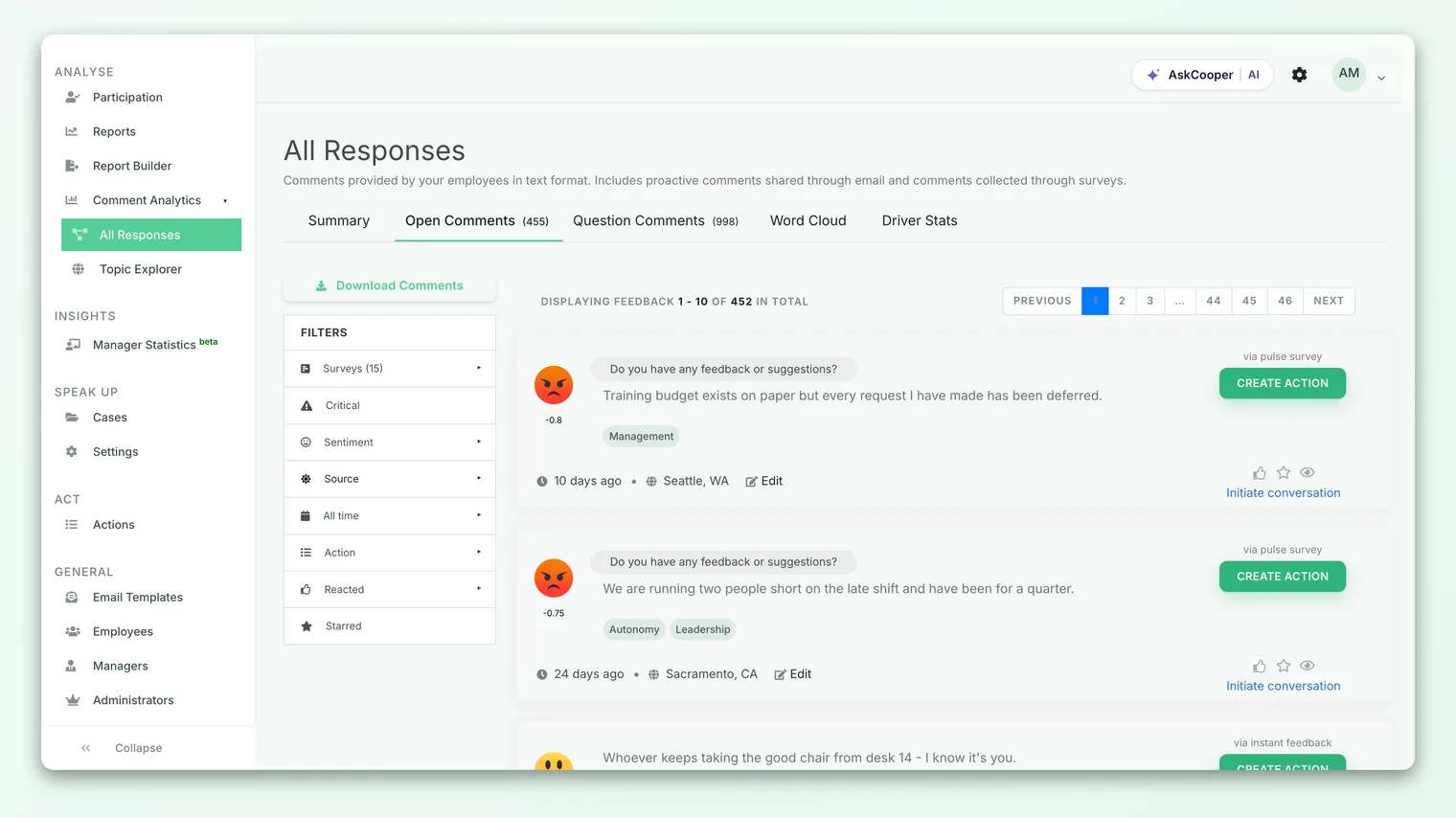
You will find sentiment surfaced in several places:
- The feedback list, where each comment shows its face and the list can be filtered by sentiment. See Browse and filter feedback.
- Survey and pulse reports, which show the overall Happy / Neutral / Sad split for a question or a whole survey.
- Driver breakdowns, where sentiment is averaged per engagement driver so you can see which themes people feel warm or cold about. See Driver-level sentiment.
- The dashboard, where an average sentiment is rolled up into a single face for a quick read of the mood.
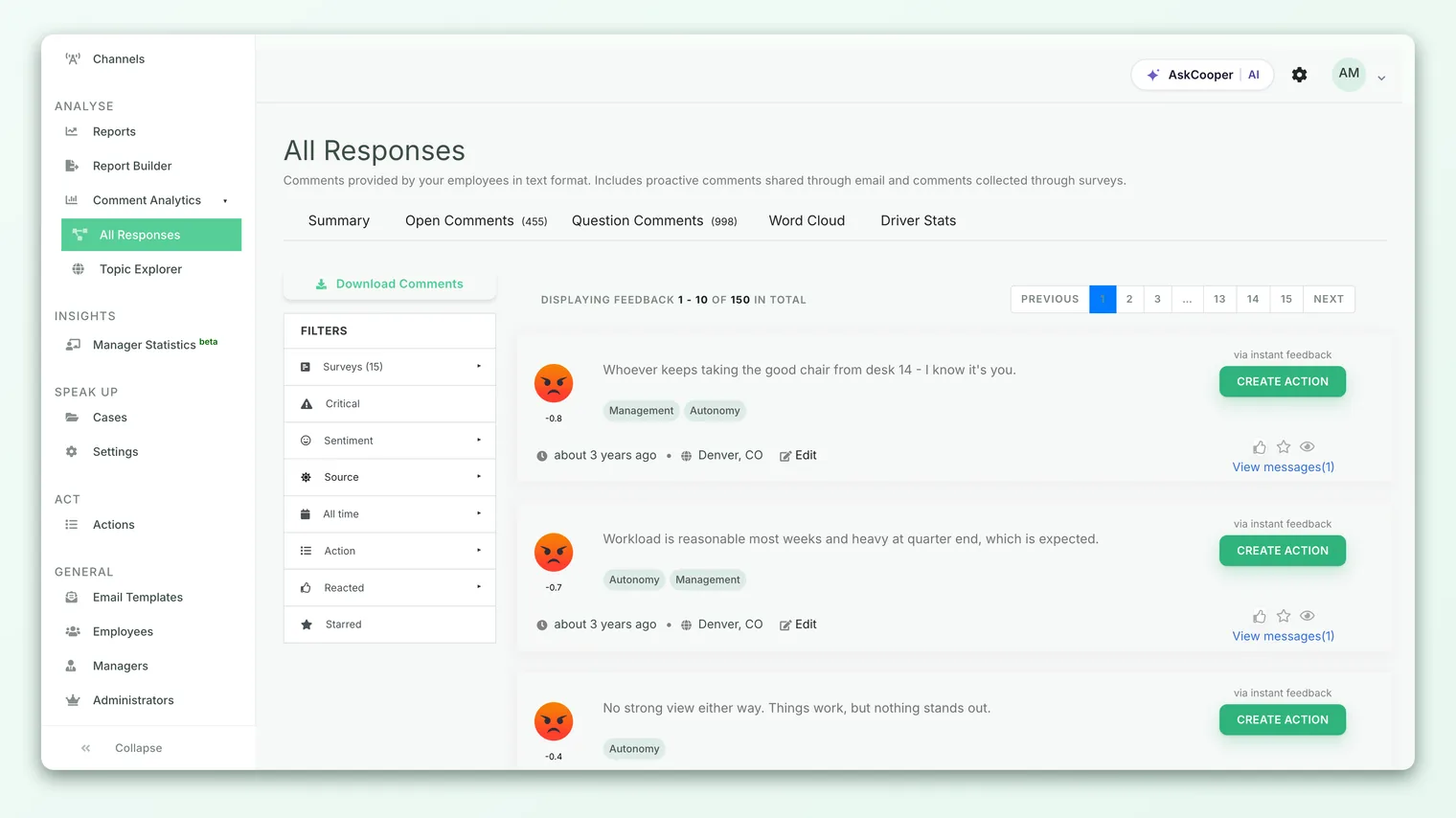
When many comments are averaged into one face, CultureMonkey uses a slightly wider set of bands than the per-comment thresholds, so the rolled-up face changes only when the average has clearly moved into positive or negative territory rather than flipping on a tiny shift.
How reliable is it?
For getting a fast, directional read across hundreds or thousands of comments, sentiment scoring is genuinely useful. It is consistent (it applies the same judgment to every comment), it is instant, and with a modern language model behind it, it handles everyday phrasing well. If a survey comes back 70% Happy and 10% Sad, that headline is almost certainly telling you something real.
Where you should be careful is with any single comment. Language is slippery, and even a strong model can misread it. Keep these limits in mind:
- Sarcasm and irony. "Oh great, another reorg, exactly what we needed" is negative to a human and can read as positive to a machine.
- Very short text. "Fine." or "Okay I guess" carries little signal, so the score often lands near neutral even when the tone is not.
- Mixed messages. A comment that is half praise, half complaint nets out near zero, which is exactly why the Mixed bucket exists - but the net score alone can still under-represent the negative half.
- Domain and jargon. Internal shorthand, product names, or role-specific language can be read literally.
- Culture and phrasing. Understatement and directness vary across teams and regions, which nudges scores.
- The boundaries are thin. A comment scored
0.19is Neutral and one scored0.20is Happy, though they may read almost identically. Near the thresholds, small differences flip the label.
Sentiment is excellent for finding where to look - which teams, drivers, or surveys are trending negative. It is not a substitute for reading the comments that matter. Treat the aggregate as reliable and any individual label as a hint you can overrule.
When the label looks wrong
Because you can always overrule the machine, a misclassified comment is a quick fix rather than a problem you have to live with. If a comment is clearly positive but tagged Sad (or vice versa), you can change its sentiment by hand.
When you edit a comment's sentiment, CultureMonkey stores a fixed score that sits safely inside the right band, and it marks the comment as manually edited so future automated runs will not overwrite your correction:
| You choose | Stored score |
|---|---|
| Happy | 0.3 |
| Mixed | 0.1 |
| Neutral | 0.0 |
| Sad | -0.2 |
Each of these lands cleanly inside its bucket, so the corrected comment counts the way you intended in every report. For the step-by-step, see Edit a feedback's sentiment.
You do not need to police every label. If your goal is an accurate aggregate, a handful of misreads across a thousand comments barely moves the needle. Reserve manual edits for comments that are highly visible (quoted in a readout) or that sit on the wrong side of a decision.
Frequently asked questions
What scale is the sentiment score on?
From -1.0 (strongly negative) to +1.0 (strongly positive), with 0 being emotionally flat. Scores are decimals, so any value in that range is possible.
What exactly makes a comment Happy versus Sad?
A score of 0.2 or higher is Happy (Positive); a score of -0.1 or lower is Sad (Negative); anything in between is Neutral. The bands are intentionally not symmetric, with a slightly higher bar to count as positive.
What is the difference between Neutral and Mixed?
Both have a near-zero score. Neutral means the comment genuinely carries little emotion. Mixed means the comment is emotionally strong in both directions at once, so it nets out to zero despite being far from calm. CultureMonkey separates them using the comment's magnitude (high magnitude with a neutral score means Mixed).
Does the AI ever get it wrong?
Yes, especially on sarcasm, very short comments, and heavy jargon. The aggregate view is reliable; individual labels can miss. That is exactly why you can edit any comment's sentiment by hand.
Why does some feedback show as Neutral right after a survey?
A comment with no score yet is treated as Neutral until analysis finishes. Freshly submitted or freshly imported feedback may look more neutral than it will once every comment has been scored.
Can I change how the thresholds work?
No. The thresholds are fixed in the platform so that sentiment stays consistent across every account, report, and export. What you can change is the sentiment of an individual comment.
Where to go next
- See sentiment in context: Browse and filter feedback
- Understand sentiment by theme: Driver-level sentiment
- Correct a misread comment: Edit a feedback's sentiment
Your feedback helps us improve the Help Center.