

How CultureMonkey Speak Up protects reporter anonymity
A precise, grounded explanation of how CultureMonkey Speak Up keeps an anonymous reporter's identity hidden - who can and cannot see it, how the report number and password enable two-way messaging without a name, what is stored, and where the guarantees end.
On this page
- The two reporting modes
- What Speak Up stores on an anonymous case
- How you get a report number and password
- Two-way messaging without a name
- Who can and cannot see a reporter's identity
- The audit trail, and the one place an IP appears
- The guarantees, stated plainly
- Frequently asked questions
- Where to go next
Speak Up only works if the person raising a concern trusts that it can't be traced back to them. That trust is the whole product. If a reporter believes their name might surface in a case file, they'll water down what they say or stay silent, and the serious issues (harassment, fraud, safety) are exactly the ones that never get reported. CultureMonkey Speak Up is built around that promise. This article sets out exactly what it records, what a case handler can see, and what is never stored.
This article is the precise, grounded answer to the question people actually ask before they file: who can see who I am? It covers exactly who can and cannot see an anonymous reporter's identity, how two-way messaging works without ever attaching a name, what is and isn't stored, and, just as importantly, where the guarantees end. We've kept it honest: anonymity is strong here, but no system is magic, and you deserve to know the real edges.
If you're new to the feature, start with What is Speak Up? and Raise a case in Speak Up. For how anonymity works across surveys more broadly, see How anonymity keeps your feedback safe.
When you file anonymously, CultureMonkey Speak Up stores no name and no email on your case. You get a report number (like SU-2026-00042) and, if you choose, set a password. Those two things - not your identity - are what let you log back in and message the case team both ways. Case handlers see your report, your messages, and your attachments, but there is no reporter name or email on an anonymous case for them to see. If you instead choose identified mode, you provide a name and email on purpose, and handlers can see them. That choice is fixed the moment you submit.
The two reporting modes
Every Speak Up case is one of two modes, chosen by the reporter at submission:
- Anonymous - you provide no name and no email. The case carries only your report number, category, description, and any messages or files you add.
- Identified - you deliberately share your name and email, usually because you want direct follow-up. (Your admin can turn identified reporting on or off, and can optionally require email OTP verification for it.)
The reporting mode is recorded on the case and is immutable. Once you submit, it can't be switched from anonymous to identified or back, by anyone, including admins. This is enforced on the stored record, not just in the interface, so an anonymous case can never quietly be "converted" into an identified one after the fact.
Neither mode is "safer" in a moral sense. Identified is the right choice when you want someone to reach out to you by name. Anonymous is right when you want the concern investigated without your identity attached. The important thing is that you choose knowingly, because the choice is locked in at submission.
What Speak Up stores on an anonymous case
This is the heart of the guarantee, so let's be exact about what lives in the record.
On an anonymous case, the stored fields include: the report number, the reporting mode, the category, your written description, answers to any category questions, an optional location, risk level, stage, timestamps, and your messages and attachments. The name and email fields that would carry your identity are left empty for anonymous cases. There is no name and no email on the record for a handler to read.
On an identified case, those same two fields are populated with the name and email you chose to give.
A few grounded specifics worth knowing:
- Your login password is never stored in readable form. If you set one, it's stored only as a bcrypt hash (a one-way scramble). No one, including engineers, can read your password back out of it. It exists solely to verify you when you return.
- An optional notification email is encrypted and walled off. If you ask to be emailed when there's an update, that address is stored encrypted in a separate table that is deliberately not linked to the case for handlers to browse. Case handlers never see it; the system decrypts it only to send you mail, and it's never shown in the admin views or API responses.
- Attachments carry their own metadata. A file you upload keeps its original filename, size, and type. If a document contains identifying details (your name in a letterhead, EXIF data in a photo, tracked changes), that content travels with the file. Speak Up can't strip what's inside an attachment, so this is a real edge worth your attention (see limits below).
How you get a report number and password
When you submit, Speak Up generates a unique report number in the form SU-YYYY-NNNNN (for example, SU-2026-00042). It's a running sequence per organization and year, generated with a database lock so two reporters can never collide on the same number. The number is not derived from anything about you - it's just the next slot in the sequence.
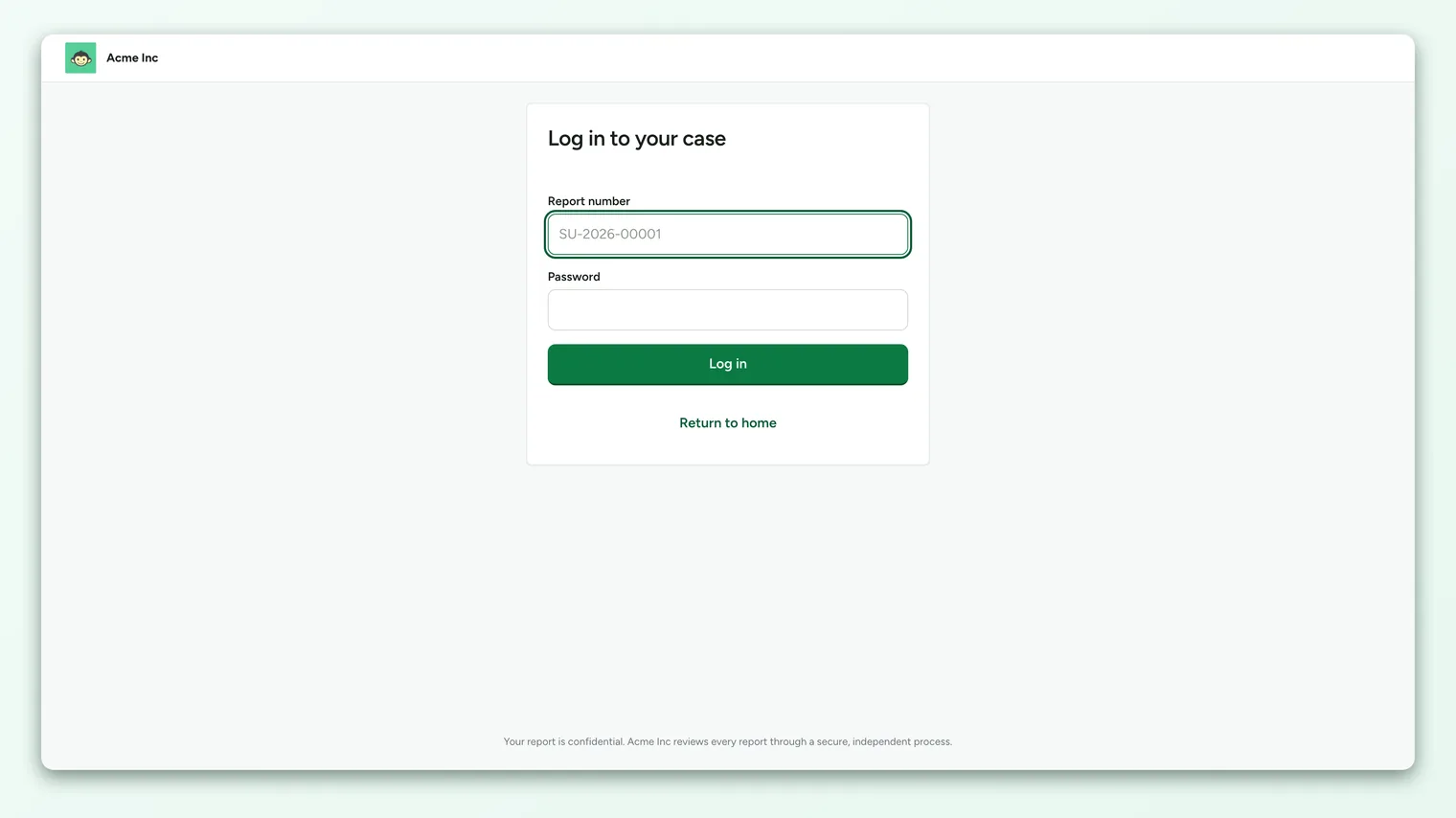
If you want to check back on your case, you can set a password at submission. The report number plus that password become your key to the case portal. That's the entire login: no email, no account, no profile.
- 1Submit your report - choose anonymous mode, pick a category, describe what happened, optionally attach files.
- 2Set a password (optional) - if you want to track the case and message the team, create a password of at least 8 characters. Save it somewhere safe.
- 3Note your report number - you'll see it on the confirmation screen. Write it down. It cannot be recovered for you later.
Because an anonymous case has no email tied to it, there is no way to reset a lost password or recover a lost report number. That's not an oversight - a recovery flow would need a way to identify you, which is exactly what anonymity forbids. If you lose both, you can still file a fresh report, but you won't be able to reopen the old case portal. Keep your report number and password safe.
Two-way messaging without a name
Here's the part people find surprising: you can have a real back-and-forth conversation with the case team, the team can ask clarifying questions, you can answer, and at no point does the exchange reveal who you are.
It works because the conversation is anchored to the case, not to a person. Every message is stored against the case and labelled as coming from either the reporter or the case team. When you log in with your report number and password, you're proving you're the owner of that case, not proving who you are. Your replies are attributed to "reporter," full stop.
On the other side, when the case team replies, their message reaches you in the portal, and, if you opted in, a notification lands in your encrypted notification email. The handler writes to the case; the system routes the notification to your address without the handler ever seeing that address. Handlers can also keep internal notes on a case, which are never shown to the reporter.
So the flow protects both directions: you never have to reveal yourself to reply, and the team never has to know your address to reach you.
Who can and cannot see a reporter's identity
Access to Speak Up cases is limited to a small set of designated handlers, not general admins. These are the three Speak Up access roles: Admin, which sees all cases, and Member and Viewer, which see only the case categories assigned to them. A regular platform manager or admin does not automatically get to browse Speak Up cases.
Here's the precise picture for an anonymous case:
| Who | Can see | Cannot see |
|---|---|---|
| Case handler (Admin) | Every case: report number, category, description, messages, attachments, audit trail | Any reporter name or email (none is stored on an anonymous case) |
| Case handler (Member / Viewer) | Only cases in their assigned categories, with the same fields as above | Cases outside their categories; any reporter identity |
| Reporter (you) | Your own case via report number + password: your messages, the team's non-internal replies, status | Internal handler notes; other people's cases |
| Other employees / managers / admins | Nothing - they have no Speak Up access role | The entire Speak Up case queue |
The key line: on an anonymous case, there is no identity field for any handler to reveal. This isn't a permission that's politely hidden from view; the name and email simply don't exist on the record. A handler looking at case SU-2026-00042 sees a report number and a badge that says the case is anonymous, and that's as close to "who" as the system gets.
A description can contain details that hint at a person ("my manager on the Tuesday shift"). Handlers should investigate the concern, not the identity. Trying to deduce who filed a report, even when the system hides the name, breaks the trust the whole program depends on. If reporters suspect it happens, honest reports stop coming.
The audit trail, and the one place an IP appears
Speak Up keeps an immutable audit log on each case: events like case created, message sent, stage changed, credential verified, and case closed. These records can't be edited or deleted once written, which is what makes the case history trustworthy for a later review.
One detail matters for anonymity, and we won't paper over it: when a report is submitted, the reporter's IP address is captured and stored in the audit metadata for the "case created" event. This is a standard security and abuse-prevention measure, but it is a piece of network-level data that exists on the case, so it's fair to know it's there.
A few honest clarifications:
- The IP sits in the audit metadata, not in the case's visible reporter fields, and it isn't surfaced in the normal case view a handler works from.
- An IP address is not your name. On its own it points to a network, and with widely shared office networks, VPNs, or mobile connections it often points nowhere useful.
- If you want maximum distance from your workplace network, filing from a personal device on a non-work connection is the most cautious approach.
Every open, unauthenticated intake form is a target for spam and abuse. Basic signals like an IP, together with a daily submission limit, are how Speak Up stays usable without forcing reporters to identify themselves. It's a trade-off made in the reporter's favor: a little network metadata retained for safety, versus requiring a login that would end anonymity outright.
The guarantees, stated plainly
Pulling it together, here's what Speak Up does and does not promise for an anonymous case.
What is guaranteed:
- No reporter name or email is stored. The identity fields are empty by design, so there is nothing for a handler to reveal.
- The reporting mode is locked at submission and cannot be changed afterward, by anyone.
- Login uses a report number and a password only, never an identity. The password is stored only as an unreadable bcrypt hash.
- Any notification email you opt into is encrypted, kept out of the case record handlers browse, and used solely to notify you.
- The case audit trail is immutable, so the history of who did what (among handlers) can't be quietly rewritten.
What is not guaranteed, and you should know:
- The content you write can identify you. If your description names you, describes a uniquely identifying situation, or your attachments contain your details, no system can un-say that. Write with that in mind.
- An IP address is captured at submission for abuse prevention and retained in the audit metadata.
- A lost report number or password can't be recovered, precisely because recovery would require identifying you.
- Identified cases are different by design. If you chose identified mode, your name and email are stored and visible to handlers - that's the point of that mode.
"Speak Up doesn't know your name unless you type it. Your report number and password are your key, not your identity." That's the promise, stated the way we'd want it stated to us.
Frequently asked questions
If I file anonymously, can a handler ever see my name?
No. On an anonymous case, the name and email fields are stored empty. There is no identity on the record to see. A handler sees your report number, your report, and your messages, and a badge indicating the case is anonymous.
Can an admin switch my anonymous case to identified later to unmask me?
No. The reporting mode is fixed at submission and is immutable in the data model. It can't be changed to identified after the fact by any role, so there's no path to attach a name to an anonymous case later.
How do I message the team if you don't know who I am?
Your report number and password are your key. When you log in with them, you prove you own that case (not who you are), and your messages are recorded against the case as coming from "reporter." The team replies to the case, and you see it in the CultureMonkey Speak Up portal. Nobody needs your name for the conversation to work.
What happens if I lose my report number or password?
There's no recovery, because recovering it would require identifying you, which anonymity forbids. Store both somewhere safe. If they're lost, you can file a new report, but the original case portal can't be reopened for you.
Do you really store my IP address?
Yes, at submission time, in the case's audit metadata, as an anti-abuse measure for an open intake form. It isn't shown in the handler's normal case view, and an IP is not a name. If you want extra distance from your work network, file from a personal device and connection.
Is the notification email I add visible to handlers?
No. If you opt in to update emails, that address is encrypted and stored separately from the case record handlers browse. CultureMonkey decrypts it only to send you a notification; it isn't exposed in the admin interface.
Where to go next
- New to the feature? What is Speak Up?
- Ready to file? Raise a case in Speak Up
- The broader picture on anonymity: How anonymity keeps your feedback safe
- Explaining it to employees: Is anonymous reporting really anonymous?
Your feedback helps us improve the Help Center.