

Build leadership reports from packs, standard reports and analysis
Leadership Reports gives every survey a set of reports written for the people who lead the organisation: packs for each audience, standard reports that run in one click, and analysis that goes past which score is lowest.
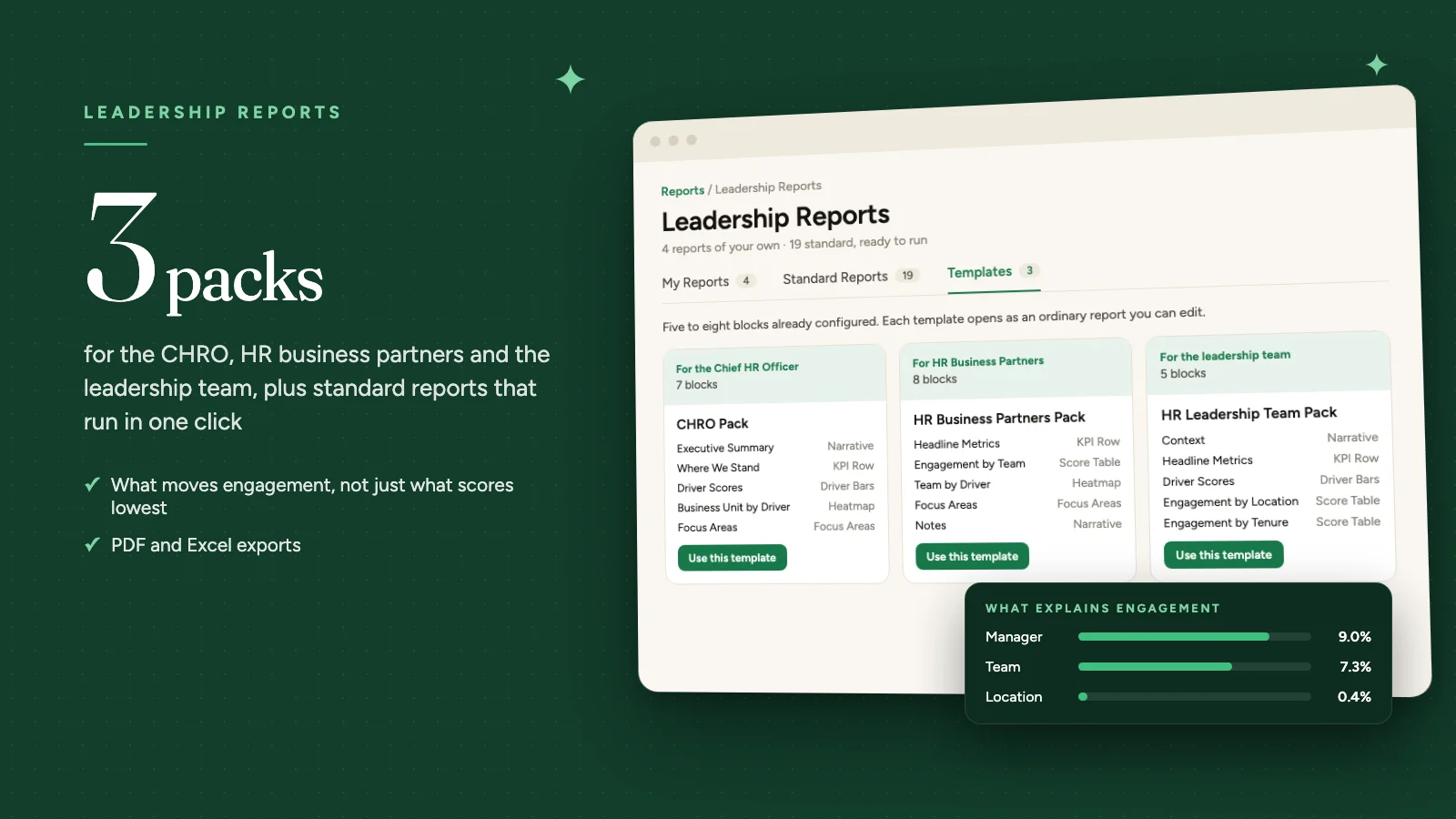
Leadership Reports turns a survey's results into reports for the people who lead the organisation. Each report is a set of blocks, from headline scores and heatmaps to analysis of what moves engagement, all reading from the survey you choose.
Leadership Reports is available on request through your Success Manager.
Where to find it
Leadership Reports sits under Analyse in the sidebar. It opens on three tabs: My Reports, Standard Reports and Templates.
Start from a report pack
The Templates tab holds three packs. Each opens as an ordinary report you can edit, with five to eight blocks already configured.
- CHRO Pack (7 blocks): org-wide engagement, eNPS and participation, with driver movement and the business units that need attention.
- HR Business Partners Pack (8 blocks): team-level detail for one part of the org, including comment sentiment and the action plans already in flight.
- HR Leadership Team Pack (5 blocks): headline movement, driver scores, and how the picture differs by location and tenure.
Standard reports in one click
Standard reports are built from your account's own attributes and need nothing set up. They are grouped by the question they answer: Where do we stand?, Where should we focus? and What changed, and who is at risk? To change one, duplicate it and edit the copy.
Analysis built into the report
Five analysis blocks answer the questions that come after the scores:
- What Moves Engagement: which drivers move engagement in this organisation, not just which score lowest.
- What Explains Engagement: which way of cutting the organisation actually separates people, and by how much.
- What Preceded People Leaving: which drivers were weakest in the groups that went on to lose the most people.
- What Makes an Advocate: what separates the groups that recommend this place from the groups that do not.
- Where Opinion Is Split: groups whose answers are split rather than simply low, which an average hides.
Every change is tested
Compare a report with an earlier survey and each change is tested against the survey's own noise. A meaningful change shows in colour with its direction; others are marked Too small, Normal variation or Not enough data. Average scores also show a margin of error beside the response count.
The read-out, saved when a survey ends
When this option is on, the standard reports for a survey are saved to My Reports the moment it ends. An anonymous survey gets the Organisation Overview; a named survey also gets the manager, team, retention, participation, new hire and comment reports. Ask your Success Manager to turn it on.
Exporting
From Share, take a copy as a PDF formatted for a deck or a board pack, or as an Excel workbook with every row for your own cuts.
Anonymity
Groups below the survey's response threshold are never shown, in the app or in exports. Where hiding one group on its own would let its score be worked out from the rest, one further group is withheld with it. Every report states its threshold beside the blocks.
Leadership Reports added a drilldown on any row the next day. See Drill into any row in Leadership Reports.
See what a warmer engagement platform looks like
Book a walkthrough and we will show you the features on this page, live in your workspace.