

New in CultureMonkey
Employee Import A refreshed five-step flow, and a mode to update a few details
Importing employees follows five steps in a refreshed design, a new Update a few details mode, and a preview of every change before you import.
5 stepsUpload, Match, Update Type, Map, Preview
10,000rows per file, at most
Super Adminruns employee imports
The employee import has a refreshed design across all five steps. It also has a new mode for updating a few details of people who are already in CultureMonkey.
Five steps, start to finish
Every import moves through the same five steps, shown across the top of the page:
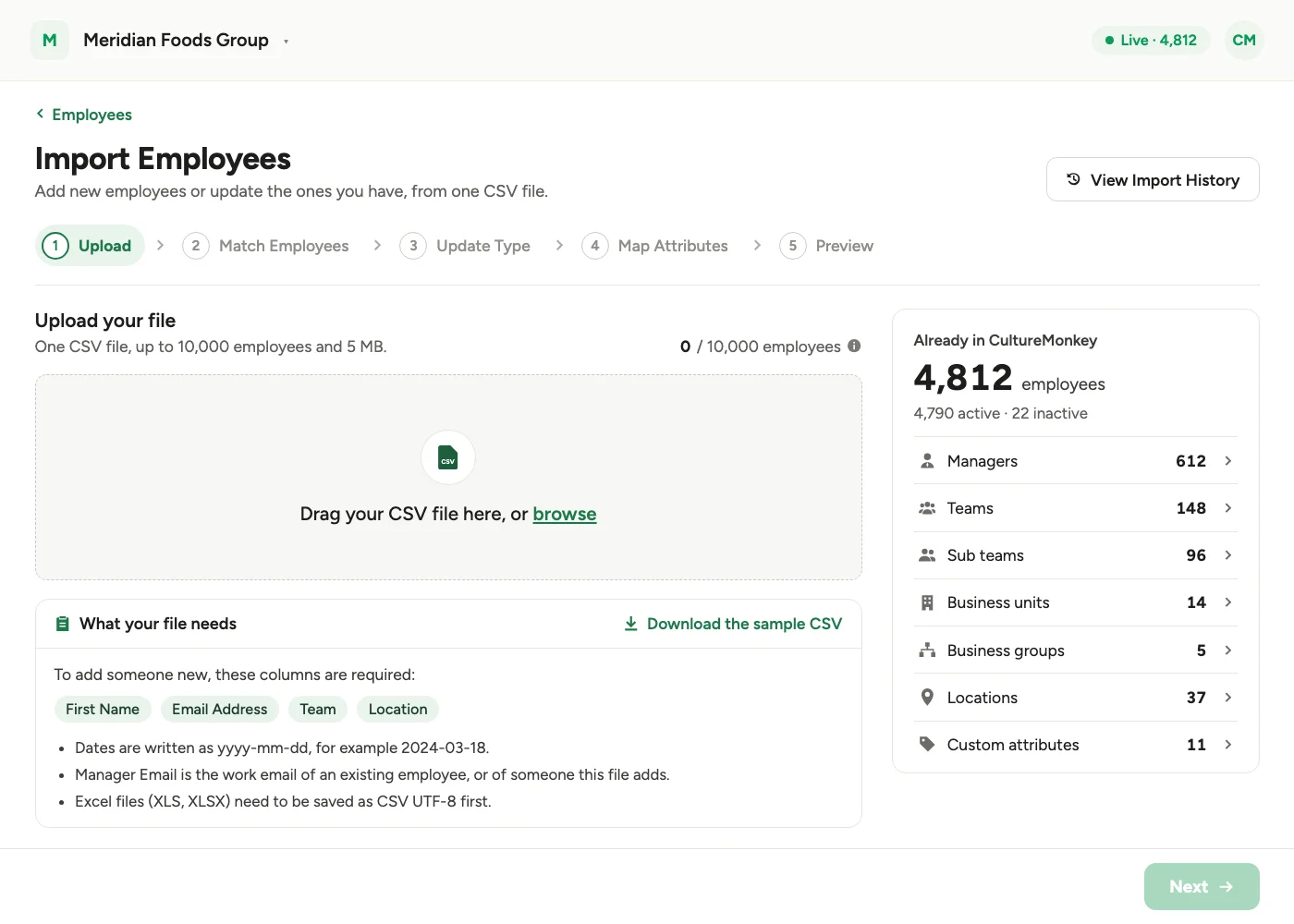
- 1Upload: add one CSV file, up to 10,000 employees and 5 MB. The step lists what your file needs, links to a sample CSV, and shows an Already in CultureMonkey summary.
Step 1: Upload. What your file needs sits under the drop zone, and the Already in CultureMonkey summary sits beside it. - 2Match Employees: choose the anchor field, a detail that is different for every employee, like Email Address or Employee ID. It matches the people in your file to the people already in CultureMonkey.
Step 2: Match Employees. Matching on Employee ID shows how many people in the file are already in CultureMonkey and how many are new. - 3Update Type: choose how to update them. Update a few details changes only the columns you pick; everything else stays the same and nobody is added. Map all attributes maps every column in your file, adding new employees and updating the ones you already have.
Step 3: Update Type. Pick Update a few details or Map all attributes. With Update a few details, step 4 becomes Choose Updates. - 4Map Attributes (or Choose Updates): for a full import, match each column in your file to a CultureMonkey attribute, with an example value from your file; attributes marked * must be mapped, and any columns left unmapped are confirmed before you move on. With Update a few details, this step is Choose Updates: pick a detail and the file column that holds its new value.
Step 4: Map Attributes. Each attribute shows the file column it comes from and an example from your file. - 5Preview: Preview changes compares every row of your file with what is in CultureMonkey today. A collapsible sidebar takes you from the Summary to New employees, Updates and No change. Nothing is saved until you select Import.
Step 5: Preview. Nothing is saved until you select Import.
The Next button gently highlights when a step is ready.
Also new
- Map Attributes is a plain table: each column from your file is shown with an example value taken from the file itself.
- External IDs are kept: a full import whose file has no External ID column keeps the External IDs already saved on your employees.
- A file limit: files with more than 10,000 rows are refused.
Who can do this
Employee import, including the Update a few details mode and the Already in CultureMonkey summary, is available to Super Admins. It is available on every CultureMonkey account.
Built with our customers
See what a warmer engagement platform looks like
Book a walkthrough and we will show you the features on this page, live in your workspace.