

What are lifecycle (autopilot) surveys in CultureMonkey?
A complete guide to CultureMonkey's lifecycle surveys - automated, always-on surveys that trigger themselves from each employee's key dates so the right person is asked the right questions at the right moment, from onboarding through to exit.
On this page
Lifecycle surveys (you'll also hear them called autopilot surveys) are automated surveys tied to where each employee is in their journey with your organization. Instead of you deciding when to run a survey and to whom, CultureMonkey watches every employee's key dates and quietly sends the right survey at the right moment: a few weeks after someone joins, at the milestones in between, and again as they head for the door.
This guide explains what lifecycle surveys are, how they trigger themselves from employee data, the stages CultureMonkey ships with, and why an always-on program like this tells you things a once-a-year engagement survey never can. When you're ready to switch them on, head to Set up lifecycle surveys.
Lifecycle surveys run on autopilot. You activate a set of stages once, and from then on CultureMonkey checks each employee's date of joining and date of separation every day and sends the matching stage survey automatically. Onboarding, the settling-in milestones, and exit are all covered, so feedback keeps flowing without anyone scheduling a thing.
What "lifecycle" means here
Every employee moves through a predictable arc: they join, they find their feet, they hit their stride, they grow (or they stall), and eventually they leave. Each phase raises different questions. A brand-new hire cares about whether onboarding set them up to succeed. Someone at the six-month mark cares about whether the role matched the pitch. Someone resigning has the most candid feedback of all, and the least reason to hold back.
A traditional engagement survey asks everyone the same questions on the same day, regardless of whether they joined last week or five years ago. That's useful for a company-wide pulse, but it misses the moments that matter most to the individual. Lifecycle surveys flip the model: the event (a work anniversary, a joining date passing a threshold, a resignation) is what triggers the survey, not the calendar.
Because these surveys fire based on each person's own timeline, they're sometimes described as event-based or continuous listening. The program never really "ends." It just keeps meeting people where they are.
Autopilot: how the automation works
The "autopilot" name is literal. Once you activate a lifecycle stage, CultureMonkey takes over the scheduling, the audience selection, and the sending. Here's the mechanism, grounded in how the platform actually behaves.
Every stage carries a rule written against employee data. That rule is the trigger. For example, the Onboarding stage's rule is essentially "the current date is after the employee's joining date, but within one month of it." Each day, an automated job runs through your active stages, finds every employee who newly matches a stage's rule, and adds them as participants to that stage's survey.
The two dates that power almost all of this are:
- Date of joining - drives Onboarding and all the tenure-based milestones that follow it.
- Date of separation - drives the Separation (exit) stage, which triggers in the final month before someone leaves.
The important consequence: your employee data is the engine. If joining and separation dates are accurate in CultureMonkey, the right surveys go out on their own. If those dates are missing or wrong, the automation has nothing to fire on. Keeping your employee list clean is the single most important thing you can do to make lifecycle surveys work.
You don't create a new survey for each new hire. You activate a stage once, and every employee who ever crosses that stage's date threshold, this month or three years from now, is picked up automatically. That's what makes it "autopilot" rather than "recurring."
The lifecycle stages CultureMonkey supports
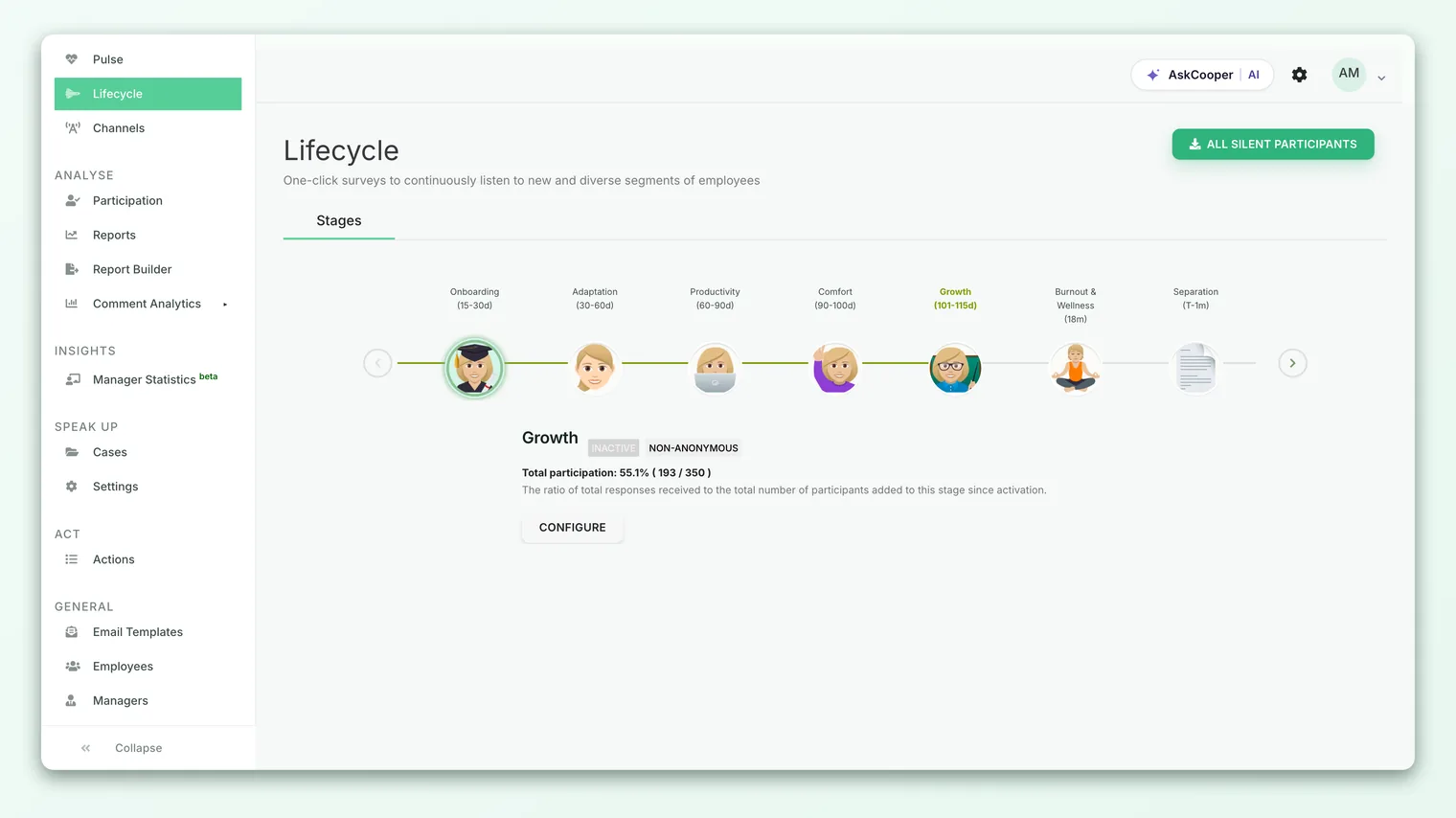
CultureMonkey ships with a set of ready-made stages that span the full employee journey. Each comes with a survey template built for that moment, so you're not writing questions from scratch. These are the stages available out of the box:
| Stage | When it triggers (from date of joining, unless noted) | What it's listening for |
|---|---|---|
| Onboarding | Within the 1st month after joining | Did we set this new hire up well? First impressions, clarity, welcome. |
| Adaptation | Months 2-4 | Are they settling in? Role clarity, team fit, early support. |
| Productivity | Months 4-6 | Do they have what they need to do the job well? Tools, expectations, ramp-up. |
| Comfort | Months 6-8 | Do they feel they belong? Relationships, culture, psychological safety. |
| Growth | Months 8-10 | Do they see a future here? Development, career path, recognition. |
| Burnout & Wellness | After 18 months | Are longer-tenured people running hot? Workload, wellbeing, sustainability. |
| Separation | The final month before the date of separation | Why are they leaving, and what would have kept them? |
A few things worth understanding about this design:
- The early stages are dense on purpose. The first year of employment is where sentiment forms and where early attrition is most likely, so CultureMonkey checks in repeatedly through that window (roughly every couple of months) before spacing out.
- Burnout & Wellness is the long-tenure touchpoint. Once someone is well established, the risk shifts from "am I settling in?" to "am I sustainable?", which is why this stage fires much later.
- Separation is the exit survey. Because it keys off the date of separation, it reaches people while they still have the context (and the candor) to tell you what really happened.
You choose which stages to activate. Many organizations turn on the full set; others start with just Onboarding and Separation (the two ends of the journey usually deliver the highest-value feedback) and expand later.
A worked example: one employee's journey
Say Maya joins on January 6. Here's what her lifecycle looks like once the full set of stages is active, assuming her dates are correct in CultureMonkey:
- Late January / early February - she lands in the Onboarding window and receives the onboarding survey.
- March through April - she crosses into Adaptation and is surveyed about settling in.
- May / June - Productivity checks whether she's fully ramped.
- July / August - Comfort asks about belonging.
- September / October - Growth explores her development and future.
- The following year and beyond - once she passes 18 months, Burnout & Wellness becomes her ongoing touchpoint.
Now imagine that two years in, Maya resigns with a leaving date of March 31. Around March 1, the Separation stage triggers and she receives the exit survey while the experience is fresh.
At no point did anyone schedule a survey for Maya. Every one of those touchpoints fired because a date on her employee record crossed a threshold. Multiply that across your whole workforce and you have a listening program that runs itself.
Why lifecycle surveys matter
An annual engagement survey is a photograph. Lifecycle surveys are a film. Here's what that continuous view buys you.
You catch problems while they're still fixable. If new hires consistently score onboarding poorly in their first month, you learn it in weeks, not at the next annual cycle when those people may already be halfway out the door. Early feedback is cheap to act on; late feedback is expensive.
You separate the "when" from the "who." A new joiner's frustrations are different from a five-year veteran's. By surveying each cohort at the right moment with questions tuned to that moment, you get signal that a one-size-fits-all survey blurs together.
Exit feedback becomes systematic. Exit interviews are notoriously inconsistent, often skipped, and easily forgotten. A Separation survey that fires automatically means you actually capture why people leave, every time, in a form you can analyze in aggregate.
You measure the moments that predict retention. Onboarding quality, early belonging, and a visible growth path are among the strongest predictors of whether someone stays. Lifecycle surveys put a number on each of them, for each cohort, over time.
It's zero ongoing effort. Because the program is automated, it doesn't compete with your other survey work. It hums along in the background and simply keeps producing feedback.
Lifecycle surveys don't replace your engagement or pulse surveys - they complement them. Use engagement surveys for the company-wide picture, pulse surveys for fast reads on specific topics, and lifecycle surveys for the individual-journey view that neither of those captures. Together they cover breadth and moment.
How results show up
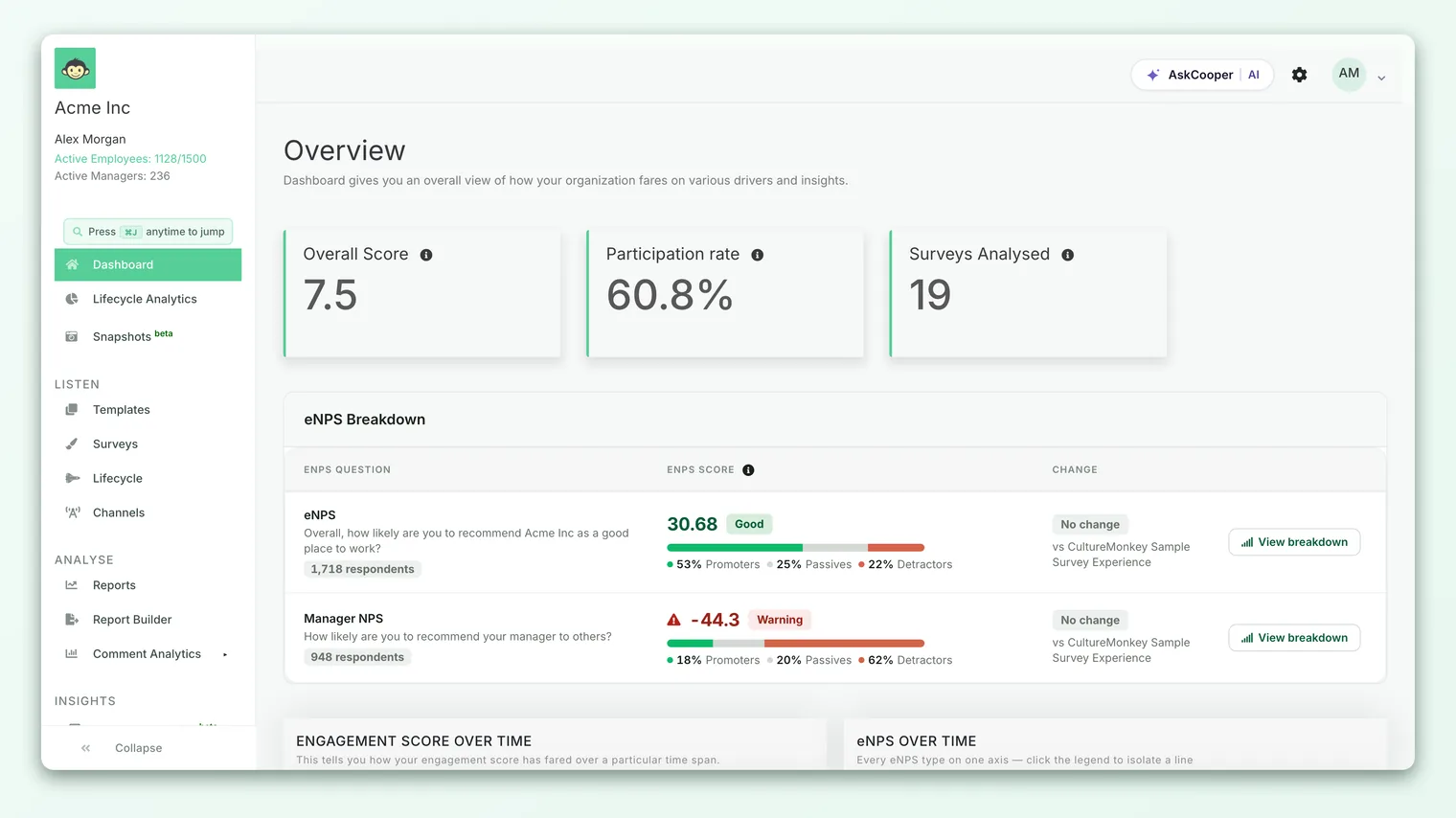
Lifecycle responses roll into a dedicated lifecycle reporting view rather than being mixed into a single one-off survey report. Because each stage is its own survey under the hood, you can look at any stage on its own (how is Onboarding scoring this quarter?) or at the program overall (what's our combined lifecycle engagement score and participation rate?).
From there you can:
- Compare stages to see where the journey is strongest and where it dips.
- Track a stage over time, since new people flow through it continuously, so you can tell whether onboarding is getting better or worse across cohorts.
- Break results down by team, location, or manager, subject to anonymity thresholds, to find where a stage is working and where it isn't.
- Read the open-text feedback attached to responses, which is often where the most actionable detail lives.
Like all CultureMonkey results, lifecycle scores respect anonymity thresholds: if too few people have responded within a stage or a filtered segment, the numbers stay hidden so no individual can be identified. If a breakdown looks empty, that's usually why. See Why can't I see results yet?.
Best practices
- Fix your dates first. The whole system runs on date of joining and date of separation. Before activating anything, make sure those fields are populated and accurate for your active employees. Garbage dates mean missed or mistimed surveys.
- Start with the ends of the journey. If a full rollout feels like a lot, begin with Onboarding and Separation. They tend to produce the highest-value feedback and are easy to reason about. Add the middle stages once you're comfortable.
- Make sure separation dates get entered. The exit survey can only fire if someone records the leaving date in CultureMonkey ahead of the departure. Build that into your offboarding checklist so the Separation stage actually triggers.
- Assign owners to act on stage feedback. A stubbornly low Onboarding score is a signal to fix onboarding, not just to watch the number. Turn recurring themes into action plans.
- Close the loop. Even in an automated program, telling people what changed because of their feedback is what turns responses into trust and drives participation up over time.
Limitations and things to keep in mind
- It's only as good as your data. No date, no trigger. Employees with blank joining or separation dates simply won't be picked up by the relevant stages.
- Stage windows are fixed by design. Each stage triggers within a defined span (for example, Onboarding in the first month). This keeps the timing consistent, but it means the survey fires on a schedule tied to the date, not on the exact day of a personal milestone.
- Small cohorts may stay hidden. If only a handful of people pass through a stage in a given period, anonymity thresholds can suppress the results until enough responses accumulate.
- Someone still needs to act. Automation handles the asking, not the answering. The value only materializes when the feedback drives change.
None of these are reasons to avoid lifecycle surveys. They're reasons to keep your employee data tidy and to pair the automation with genuine follow-through.
Frequently asked questions
How is a lifecycle survey different from a normal survey?
A normal survey is something you build and schedule for a chosen audience on a chosen date. A lifecycle survey is automated and event-based: you activate a stage once, and it then fires by itself for any employee whose dates match the stage's rule, indefinitely. You're not scheduling individual sends.
What triggers a lifecycle survey to go out?
An employee's dates crossing a stage threshold. Onboarding and the tenure milestones trigger off date of joining; the Separation (exit) stage triggers off date of separation. CultureMonkey checks these daily with an automated job and enrolls newly matching employees.
What if an employee's joining or separation date is missing?
Then that employee won't match the stage's rule, and the survey won't be sent to them. This is why accurate employee data is essential. Fill in the missing dates and the automation will pick them up on its next run.
Can I turn on only some stages?
Yes. Each stage is enabled independently. A common approach is to start with Onboarding and Separation and add the middle stages later. See Set up lifecycle surveys.
Where do lifecycle results appear?
In the dedicated lifecycle reporting area, where you can view each stage on its own or the program overall, track stages over time, and break results down by demographic (subject to anonymity thresholds). Lifecycle scores also feed into your broader CultureMonkey dashboard.
Do lifecycle surveys replace my annual engagement survey?
No. They complement it. Your engagement survey gives the company-wide snapshot; lifecycle surveys give the continuous, per-journey view. Run both.
Where to go next
- Switch it on: Set up lifecycle surveys
- Keep your triggers accurate: Manage your employee list
- Understand a key metric these surveys track: What is eNPS and how is it calculated?
- Turn feedback into change: Create an action
Your feedback helps us improve the Help Center.