

Updates on Participation The Participation report for every Super Admin, and invitation status in Manager eligibility
Every Super Admin can now open the Participation report, and the Manager eligibility table shows whether each manager has accepted their invite.
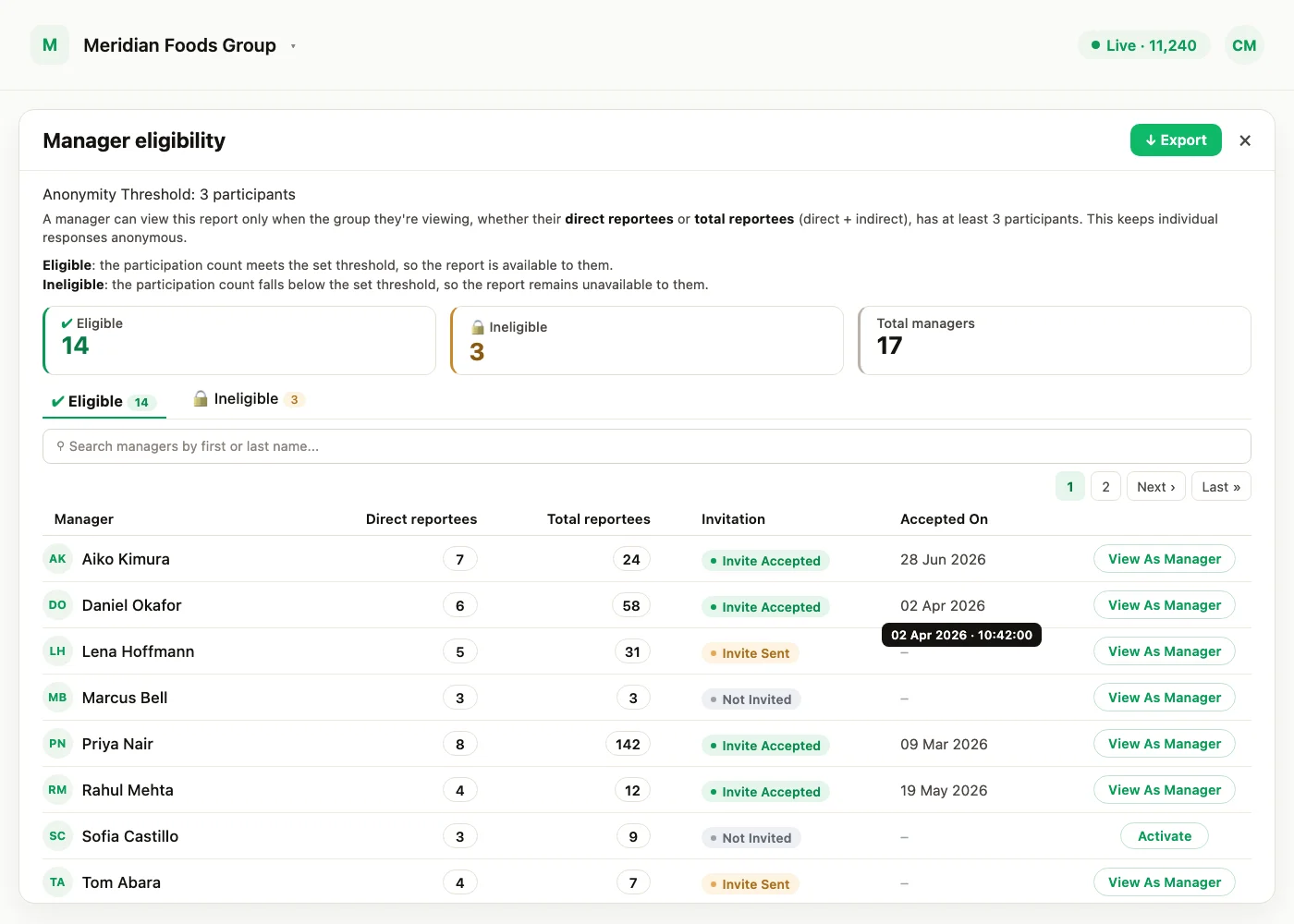
Every Super Admin can now open the Participation report. It is part of every account, with nothing to set up. The Manager eligibility table on a survey's report also shows more about each manager: their invitation status, when they accepted, and a shortcut into their view.
The Participation report, for every Super Admin
- Who can open it: every Super Admin, on every account. Sub Admins and Managers do not see the report.
- Share links: a share link opens the participation page of the single survey that was shared, not the overview.
Anonymity protection still applies to everyone who opens the report: demographic groups below your account's response threshold stay hidden.
Invitation status and View As Manager in Manager eligibility
The Manager eligibility table on a survey's report, with its Eligible and Ineligible tabs, now shows more about each manager without leaving the table:
- Invitation: whether the manager is Not Invited, has been sent an invite, or has accepted it.
- Accepted On: the date the manager accepted, shown in your account's timezone. Hover over it for the exact time.
- View As Manager: opens that manager's view straight from the table.
View As Manager follows the same rules as on the Managers page. It appears only for managers with 3 or more active reportees, and never for a manager who is also a Super Admin. A deactivated manager shows an Activate link instead.
The Manager eligibility table, including these new columns and the View As Manager link, is available to Super Admins only.
New to the Participation report? The June release walks through its eight views, from the breakdown by group to the recommendations.
See what a warmer engagement platform looks like
Book a walkthrough and we will show you the features on this page, live in your workspace.