

Lifecycle Stage Manager Set up every lifecycle stage in one guided flow
Stage Manager puts every lifecycle stage, its status and its timing on one list, and walks you through each stage's survey and schedule without switching between screens.
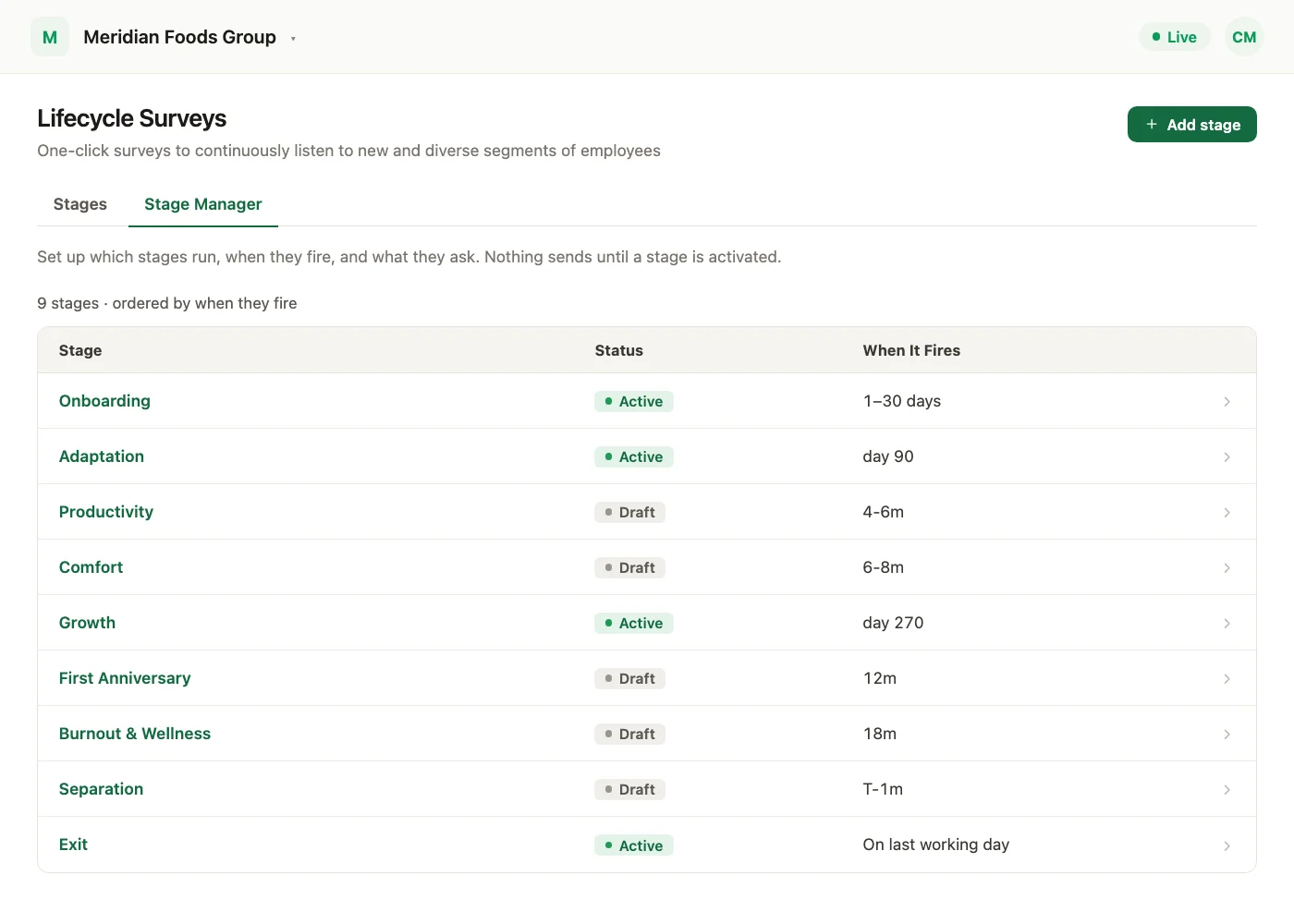
Every lifecycle stage, set up in one place. Stage Manager is a guided setup for Lifecycle Surveys. It shows all your lifecycle stages on one list, with their status and timing, and takes you through each stage's survey and schedule without switching between screens.
Lifecycle Stage Manager is available on request through your Success Manager.
Every stage in one place
Open Lifecycle, then the Stage Manager tab. Each stage is listed with its status and when it fires. From here you can review where each stage stands, create custom stages, and open an existing stage to change it.
Setting up a stage
The guided flow brings the survey and its schedule together, in these steps:
- 1Basic: the survey name and its basic settings.
Setting up a stage opens on the Basic step, with each step of the guided flow across the top. - 2Questions: create or edit the survey's sections and questions.
The Questions step lists the survey's sections. Expand a section to edit its questions, or add a new one. - 3Translation: for multilingual surveys only, a Translation step of their own in the same flow. Generate translations, switch between languages, and update the translated questions and section titles there.
For a multilingual survey, the Translation step is where you pick languages and generate translations. - 4Audience: choose who receives the survey and when it is sent, and see how many employees match that audience right now.
The Audience step sets who receives the survey and when, and shows how many employees match right now.
A stage can be triggered by tenure, on an exact day or across a date range, or by the exit-survey trigger.
When the setup is complete, review the questions and audience settings, then activate the stage, or pause it.
Importing or updating questions, changing a translation, a validation error or a Configure action all bring you back to the right step of the setup. Standalone surveys keep the setup they use today.
Who can do this
Stage Manager is for Super Admins whose Survey Access covers all surveys or lifecycle surveys. Sub Admins, Managers and users with report view only access do not see it.
See what a warmer engagement platform looks like
Book a walkthrough and we will show you the features on this page, live in your workspace.