

Generate CultureMonkey API keys and use the API
How to find your CultureMonkey API key, authenticate your requests, work with the employees endpoints, handle pagination and errors, and stay within rate limits when syncing data programmatically.
On this page
CultureMonkey ships with a REST API so you can keep your employee data in sync automatically instead of uploading spreadsheets by hand. If your HR system, identity provider, or in-house middleware can make an authenticated HTTP request, it can create, update, and deactivate employees in CultureMonkey directly.
This guide covers the whole flow: where to find your API key, how authentication works, the endpoints available under /api/v1, how to page through large result sets, what the error responses mean, and the rate limits you need to design around.
Every CultureMonkey account has a single API key, generated automatically and shown under Settings > Integrations. You send it in the Authorization header of each request to https://<your-subdomain>.culturemonkey.io/api/v1/.... The employees resource lets you list, create, update, and deactivate people. Requests and responses are JSON, results are paged 100 at a time, and traffic is rate limited per IP.
Who should use the API
The API is aimed at developers and technical admins who want programmatic, hands-off data flow. Typical use cases:
- Provisioning and offboarding - push new joiners into CultureMonkey the moment they appear in your HR system, and deactivate leavers automatically.
- Keeping attributes current - sync titles, teams, locations, managers, and custom attributes so your survey segments and heatmaps stay accurate.
- Custom middleware - bridge a system that CultureMonkey does not integrate with natively.
If you would rather not write code, you have two lighter-weight options first. Many popular HR systems connect through a prebuilt integration (see Connect your HRIS), and one-off or scheduled loads can be done with a file upload (see Import employees from a file). Reach for the API when you need real-time, fully automated control. For the full menu of options, start at the Integrations overview.
Find your API key
Your API key is created for you when your account is set up, so there is nothing to generate manually. To find it:
- 1Open Settings - from the main navigation, go to Integrations.
- 2Find the API section - the API KEY field appears at the top of the Integrations settings.
- 3Copy the key - click the copy button next to the field. The key is a long, URL-safe random string.
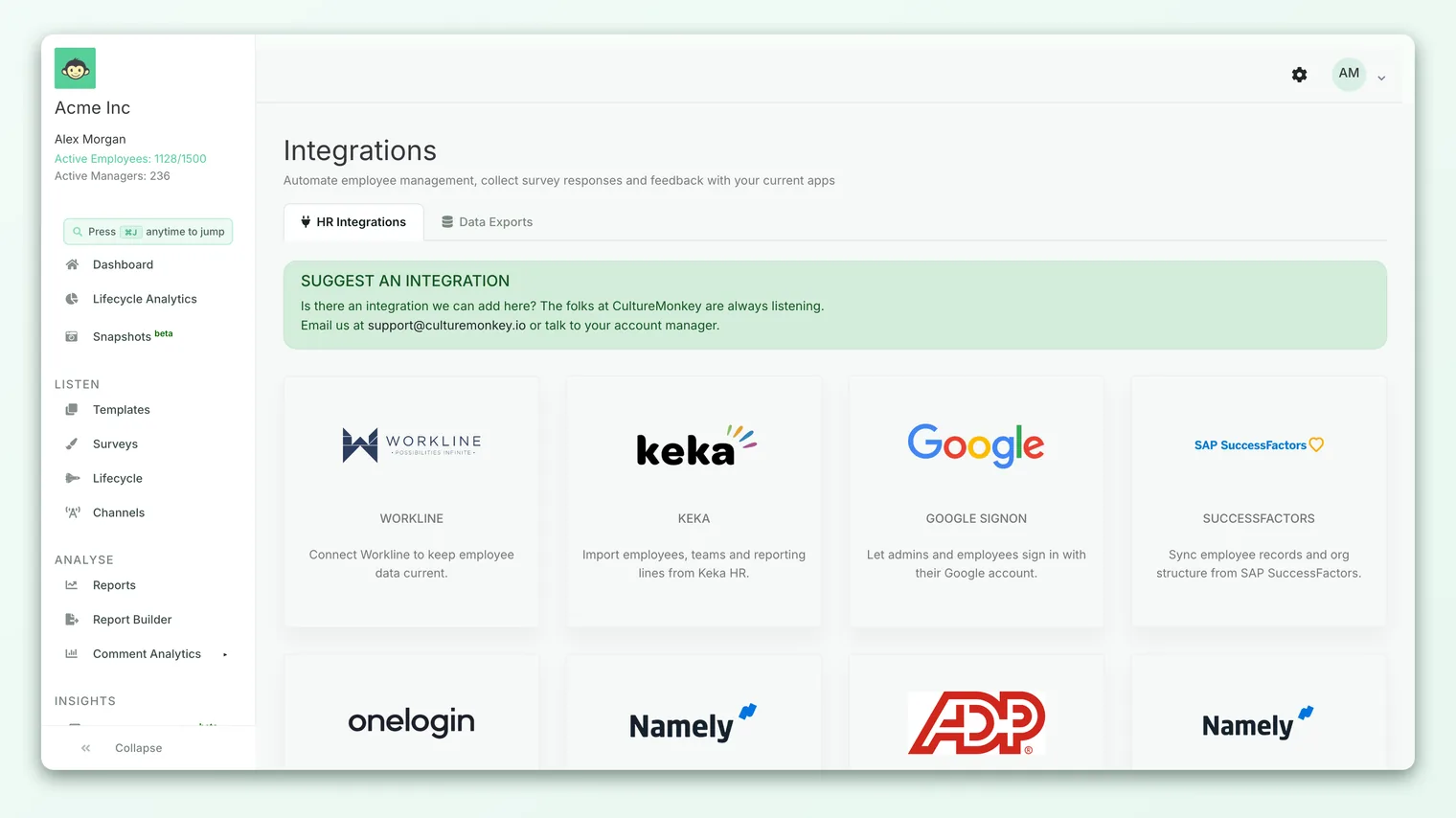
The field is read-only, so you copy the key rather than type it. There is one key per account, and it is scoped to your account's subdomain.
Anyone holding this key can read and modify your entire employee directory. Store it in a secrets manager or environment variable, never commit it to source control, and never expose it in client-side code or a browser. If you believe it has been exposed, contact CultureMonkey support to have it rotated.
How authentication works
CultureMonkey uses a simple bearer-style token scheme. You put your API key in the Authorization header of every request, and you tell the server you are sending JSON.
Two things are checked on each protected call:
- Content type. The request must declare
Content-Type: application/json. Anything else is rejected with a400and the message "Invalid Content Type, you must pass valid application/json in the request's 'body'." - A valid key. The server reads the token from the
Authorizationheader and matches it against your account. A missing or wrong token returns401.
The header format uses a scheme word followed by a space and the key, for example:
`` Authorization: Token YOUR_API_KEY Content-Type: application/json ``
A minimal request to list employees looks like this:
``bash curl https://acme.culturemonkey.io/api/v1/employees \ -H "Authorization: Token YOUR_API_KEY" \ -H "Content-Type: application/json" ``
Replace acme with your own subdomain and YOUR_API_KEY with the key you copied. Because authentication is tenant-scoped, always call your own subdomain's host, not a shared or generic one.
All v1 endpoints live under /api/v1 on your account's subdomain. So the employees collection is https://<your-subdomain>.culturemonkey.io/api/v1/employees. Every response is JSON.
The employees endpoints
The employees resource is the core of the public API. It lets you manage your directory with standard REST verbs. Every call below must include the Authorization and Content-Type headers described above.
| Method | Path | What it does |
|---|---|---|
GET | /api/v1/employees | List all employees (paginated) |
GET | /api/v1/employees/:id | Fetch one employee by their external ID |
POST | /api/v1/employees | Create a new employee |
PUT | /api/v1/employees/:external_id | Update an existing employee |
DELETE | /api/v1/employees/:external_id | Deactivate an employee |
A few behaviors are worth calling out, because they shape how you design your sync:
- External ID is the anchor. Single-record reads, updates, and deletes are keyed on the
external_idyou assign, not on CultureMonkey's internal database ID. Use a stable identifier from your source system (an HRIS profile ID, for example) so records line up across syncs. - Create is idempotent on external ID. If you
POSTan employee whoseexternal_idalready exists, the API returns409 Conflictwith "employee already exists" rather than creating a duplicate. UsePUTto update instead. - Delete is a soft delete.
DELETEdoes not erase the record. It sets the employee to inactive (is_active = false), which preserves historical survey data while removing them from future sends. This is the correct way to offboard someone. - Related records are auto-created. When you pass a
team_name,location_name,subteam_name,business_unit_name, orbusiness_group_namethat does not exist yet, CultureMonkey creates it for you. Managers are the exception: a manager referenced bymanager_emailormanager_employee_idmust already exist, or the request fails with a clear error.
Creating an employee
To create an employee, POST to /api/v1/employees with a JSON body. Five fields are required:
| Field | Description |
|---|---|
first_name | The employee's first name |
email_address | Official email address |
external_id | A unique ID from your system (the anchor for future updates) |
team_name | Team to place them in (created if new) |
location_name | Location to place them in (created if new) |
Beyond those, a large set of optional fields is accepted, including last_name, employee_id, designation, manager_email or manager_employee_id, date_of_joining, date_of_birth, date_of_separation, gender, phone_number, employee_type, role_type, question_language, and a free-form custom_attributes object. Dates use the YYYY-MM-DD format.
A worked example:
``bash curl -X POST https://acme.culturemonkey.io/api/v1/employees \ -H "Authorization: Token YOUR_API_KEY" \ -H "Content-Type: application/json" \ -d '{ "first_name": "Priya", "last_name": "Menon", "email_address": "priya.menon@acme.com", "external_id": "EMP-10482", "team_name": "Customer Success", "location_name": "Bengaluru", "designation": "CS Manager", "manager_email": "dana.lee@acme.com", "date_of_joining": "2026-03-01", "custom_attributes": { "cost_center": "CS-EMEA", "shift": "Day" } }' ``
If Dana Lee does not already exist as an employee, the request is rejected with a message telling you to create the manager first. This ordering matters when you bootstrap a directory: load managers before their reports, or run your sync twice.
Updating an employee
Send a PUT to /api/v1/employees/:external_id with only the fields you want to change. The external_id in the URL identifies the record. For example, to move someone to a new team and mark a promotion:
``bash curl -X PUT https://acme.culturemonkey.io/api/v1/employees/EMP-10482 \ -H "Authorization: Token YOUR_API_KEY" \ -H "Content-Type: application/json" \ -d '{ "team_name": "Revenue Operations", "designation": "Senior CS Manager" }' ``
Fields you leave out are untouched, so a partial payload is safe.
Deactivating an employee
To offboard someone, send a DELETE to /api/v1/employees/:external_id. As noted above, this flips them to inactive rather than removing their data:
``bash curl -X DELETE https://acme.culturemonkey.io/api/v1/employees/EMP-10482 \ -H "Authorization: Token YOUR_API_KEY" \ -H "Content-Type: application/json" ``
A successful call returns a confirmation like {"message": "Deleted successfully"}.
Pagination
The list endpoint returns employees in pages of 100 records. Pass a page query parameter to move through them:
``bash curl "https://acme.culturemonkey.io/api/v1/employees?page=2" \ -H "Authorization: Token YOUR_API_KEY" \ -H "Content-Type: application/json" ``
Each response includes a meta object so you know where you are and when to stop:
``json { "employees": [ ... ], "meta": { "total_page": 14, "per_page": 100, "page": 2 } } ``
To pull the full directory, start at page 1 and keep incrementing until page exceeds total_page, at which point the API returns an empty employees array. Each employee object in the response carries the standard attributes (name, email, external_id, employee_id, designation, joining and separation dates, active status, and any custom_attributes) plus nested manager, team, location, sub-team, business unit, and business group references.
Errors and status codes
The API uses conventional HTTP status codes. Error bodies contain a human-readable message, which is worth logging when you build your integration.
| Code | Meaning | Common cause |
|---|---|---|
400 | Bad request | Missing or wrong Content-Type (must be application/json) |
401 | Unauthorized | Missing Authorization header or an invalid API key |
404 | Not found | No employee matches the external_id you passed |
409 | Conflict | Creating an employee whose external_id already exists |
422 | Unprocessable | Validation failed (for example a bad date format or an unknown manager) |
Build your integration to read these codes and surface the message. A 422 will usually tell you exactly which field is wrong (for example, "date_of_joining is not a valid date format, please pass the valid date format. Accepted date format is YYYY-MM-DD"), which makes debugging a sync much faster.
Rate limits
To protect the platform, CultureMonkey applies rate limiting at the network edge. Requests are throttled per source IP address:
- Up to 1,000 requests per minute per IP.
- A short-window cap of about 30 requests per second per IP to smooth out bursts.
If you exceed a limit, requests are rejected until the window resets. When you sync a large directory, design for this by paging steadily rather than firing everything at once, adding a small delay between calls, and retrying with backoff if you are throttled. For a nightly full sync of tens of thousands of employees, a modest, paced request rate stays comfortably inside these limits.
Webhooks
At present, CultureMonkey's public integration API is request-driven: your systems call CultureMonkey to push and pull data. There is no general-purpose customer-facing webhook subscription that pushes CultureMonkey events (such as survey completion or new feedback) out to an arbitrary URL of your choosing.
If your workflow depends on reacting to events inside CultureMonkey, the practical pattern today is to poll the relevant endpoints on a schedule, or to use one of the native integrations that already forwards notifications into tools like Slack or Teams. See the Integrations overview for what is available.
Best practices
A few habits will keep your integration reliable and safe:
- Key on
external_ideverywhere. Use one stable identifier from your source system as the anchor. It is what makes creates, updates, and deletes line up cleanly across runs. - Order your writes. Create managers before their reports so manager references resolve on the first pass.
- Send partial updates. For routine syncs,
PUTonly the fields that changed rather than the whole record. It is faster and less error-prone. - Deactivate, do not try to delete. Offboarding via
DELETEpreserves history and removes people from future surveys, which is what you almost always want. - Handle errors explicitly. Log the status code and message, retry transient failures with backoff, and alert a human on repeated
4xxerrors. - Protect the key. Keep it in a secrets manager, rotate it if it leaks, and scope access to the systems that genuinely need it.
Frequently asked questions
Where do I get my API key?
Under Settings > Integrations, in the API KEY field. It is generated automatically for your account, so you copy it rather than create it. There is one key per account.
Can I have more than one API key, or scope keys to certain permissions?
Today each account has a single account-wide key that carries full access to the employees endpoints. There is no per-scope or per-integration key management in the settings UI. If you need the key changed, contact support.
What is the difference between id, employee_id, and external_id?
id is CultureMonkey's internal database identifier. employee_id is an optional HR identifier you can store. external_id is the unique key you assign and the one the API uses to look up, update, and deactivate records. Set external_id deliberately and keep it stable.
Why did my request fail with a 400 before it even checked my key?
The API requires Content-Type: application/json on every protected call. If that header is missing or wrong, you get a 400 before authentication runs. Add the header and try again.
Does deleting an employee remove their survey responses?
No. DELETE performs a soft delete: it marks the employee inactive so they stop receiving surveys, while keeping their historical responses intact for reporting.
Can I use the API to send surveys or read results?
The public API is currently focused on employee directory management (create, read, update, deactivate). Survey sending and reporting are managed inside the app and through the native integrations. For end-to-end automation of surveys, talk to your CultureMonkey contact about what is on the roadmap.
Where to go next
- See every way to connect data: Integrations overview
- Prefer a prebuilt connector? Connect your HRIS
- Just need a one-time load? Import employees from a file
- Sending candidates: Send candidates to CultureMonkey with the API
The API is one way data leaves CultureMonkey. These are the others, most needing no developer:
- A report as PDF: Export a CultureMonkey report to PDF
- A report as PowerPoint: Export a CultureMonkey report to PowerPoint
- Comments and free text: Export comments and free-text responses from CultureMonkey
- A heatmap to Excel: Export a CultureMonkey heatmap to Excel
- One PDF per demographic: Batch-export demographic-wise PDFs
- Turn exports on: Enable PDF and PowerPoint report exports in CultureMonkey
- Reports in bulk: Bulk-generate reports in the CultureMonkey Reports Panel
- An actions report: Download an actions report
- Share without exporting: Share a report via link
- Freeze a point in time: Use CultureMonkey Snapshots for point-in-time data
Your feedback helps us improve the Help Center.